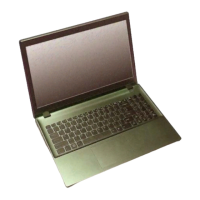
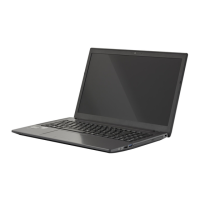
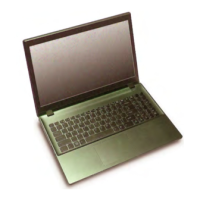
This document is a service manual for the W650SR series notebook computer, providing detailed information for maintenance, repair, and upgrades.
Function Description:
The W650SR is a notebook computer designed for general computing tasks, featuring an Intel Core i7 processor, integrated and discrete NVIDIA graphics, and a range of connectivity options. It supports various storage configurations, including a 2.5" SATA HDD and an mSATA SSD (factory option), and an optical drive bay that can also accommodate a second HDD caddy. The notebook is designed to be upgradeable, with specific instructions provided for component replacement and installation.
Important Technical Specifications:
- Processor Options: Intel Core i7 processors (i7-4900MQ, i7-4800MQ, i7-4700MQ) with 8MB or 6MB L3 Cache, 22nm process, and TDP 47W.
- Core Logic: Intel HM86 Chipset.
- BIOS: 48Mb SPI Flash ROM, AMI BIOS.
- Memory: Two 204-Pin SO-DIMM sockets supporting DDR3L 1600MHz memory, expandable up to 16GB.
- Storage: One changeable 2.5" 9.5mm (h) SATA HDD. Factory options include a 12.7mm (h) optical device (Super Multi Drive/Blu-Ray Combo Drive/Blu-Ray Writer Drive), a 9.5mm 2nd HDD caddy, or an mSATA Solid State Drive (SSD).
- LCD: 15.6" (39.62cm) HD / FHD display.
- Audio: High Definition Audio Compliant Interface, 2 built-in speakers, built-in microphone, Sound Blaster™ Cinema.
- Security: Kensington® Type Lock Slot, BIOS Password.
- Video Adapter: Intel Integrated GPU (Intel HD Graphics 4600, Microsoft DirectX®11 Compatible) and NVIDIA Discrete GPU (NVIDIA GeForce 750M with 2GB GDDR3 Video RAM, Microsoft DirectX® 11.1 Compatible), supporting NVIDIA Optimus Technology.
- Keyboard: Full-size "WinKey" keyboard with numeric keypad.
- Pointing Device: Built-in Touchpad.
- Interface:
- USB Ports: One USB 2.0, two USB 3.0, one eSATA/USB 3.0 Combo.
- Video Outputs: One HDMI-Out, one External Monitor Port.
- Audio Jacks: One Headphone-Out, one Microphone-In.
- Network: One RJ-45 LAN Jack.
- Power: One DC-in Jack.
- Mini Card Slots: Slot 1 for WLAN Module or WLAN and Bluetooth Combo Module. Factory option for Slot 2 for 3G Module or mSATA SSD.
- Card Reader: Embedded Multi-In-1 Card Reader (MMC/RS MMC, SD/Mini SD/SDHC/SDXC, MS/MS Pro/MS Duo).
- Communication: Built-In Gigabit Ethernet LAN, 2M HD PC Camera Module. Factory option for 3G Mini-Card Module.
- WLAN/Bluetooth Half Mini-Card Modules (Factory Options): Intel Centrino Advanced-N 6235 Wireless LAN (802.11a/g/n) + Bluetooth 4.0, Intel Centrino Wireless-N 2230 Wireless LAN (802.11b/g/n) + Bluetooth 4.0, Third-Party Wireless LAN (802.11b/g/n) with or without Bluetooth 4.0.
- Environmental Spec:
- Temperature: Operating 5°C - 35°C, Non-Operating -20°C - 60°C.
- Relative Humidity: Operating 20% - 80%, Non-Operating 10% - 90%.
- Power: 6 Cell Smart Lithium-Ion Battery Pack (62.16WH). Full Range AC/DC Adapter (AC Input: 100 - 240V, 50 - 60Hz; DC Output: 19.5V, 6.15A (120 Watts) minimum).
Usage Features:
The manual outlines the system startup procedure, including removing packing materials, placing the computer on a stable surface, inserting the battery, attaching peripherals, connecting the AC/DC adapter, raising the lid/LCD to a comfortable viewing angle (not exceeding 130 degrees), and pressing the power button. It emphasizes proper shutdown procedures via the operating system to prevent hard disk or system problems.
Maintenance Features:
The manual is specifically designed for service personnel and covers detailed disassembly and reassembly instructions for various components. It includes:
- Maintenance Tools: Recommended tools include M3, M2.5 (magnetized), and M2 Philips-head screwdrivers, a small flat-head screwdriver, needle-nose pliers, and an anti-static wrist-strap.
- Connections: Describes four types of connections within the computer: locking collar sockets for ribbon connectors, pressure sockets for multi-wire connectors, pressure sockets for ribbon connectors, and board-to-board or multi-pin sockets, with instructions on how to properly release and reconnect each.
- Maintenance Precautions: Provides important safety instructions and precautions, such as avoiding drops, overheating, interference from strong magnetic fields, keeping the computer dry, being careful with power (disconnecting all power supplies and removing the battery before servicing), avoiding static discharge, preventing corrosion by not touching connector leads, maintaining a clean work environment, and keeping track of small components like screws.
- Battery Precautions: Emphasizes using only approved batteries, not using damaged batteries, proper recharging, not attempting battery pack repairs, keeping batteries away from children and metal appliances, affixing tape to contacts before disposal, and proper disposal according to local laws. It also provides guidelines for battery storage and checking battery levels.
- Disassembly Steps: Step-by-step instructions are provided for removing and installing components such as the battery, keyboard, hard disk drive (including notes on foam rubber inserts for different HDD sizes), optical (CD/DVD) device, system memory (RAM), processor (including heat sink removal and installation), Wireless LAN Module, mSATA Module, and CCD Module. Each section includes information on required parts and screw counts.
- Part Lists: Appendix A provides illustrations and part numbers for various assemblies (Top, Bottom, COMBO, DVD Dual Drive, HDD, 2nd HDD, LCD) to aid in identification and ordering.
- Schematic Diagrams: Appendix B contains circuit diagrams for the W650SR notebook's PCBs, including the System Block Diagram, Processor, DDR3 SO-DIMM, PS8625, Panel/Inverter, VGA PCI-E Interface, VGA Frame Buffer, VGA I/O, VGA NVVDD Decoupling, CRT/Holes, Lynx (PCH) various sections, 3G/WLAN/PCIE/CON, USB Charge/CCD/TPM/Power Con, eSATA/USB3.0/LED, Card Reader, HDD/TP/Audio/USB, HDMI/RJ45/Fan/KBC/LED, Audio Codec, KBC-ITE IT8587, Power Rails (5VS, 3VS, 3.3VM, 5VM, 1.05V, VDD3, VDD5, 1.5V/1.35V/0.75VS/1.5VS, POWER VCORE), N14P/NVVDD/PEX/FBVDDQ, AC IN/Charger, Audio Board, Power Switch Board, and ODD to HDD Board.
- BIOS Update: Appendix C details the process of updating the FLASH ROM BIOS, including downloading the BIOS update from the manufacturer's website, unzipping files to a bootable CD/DVD/USB Flash drive, setting the computer to boot from the external drive, using flash tools to update the BIOS, and restarting the computer to load setup defaults. It also includes warnings about BIOS version compatibility.

 Need help?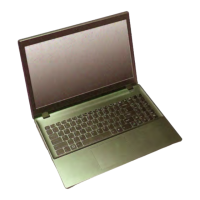

 To Next Page
 General