EasyManua.ls Logo

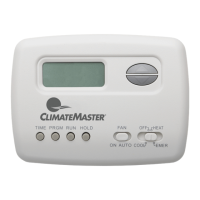
ClimateMaster ATP21W02 - User Manual

ClimateMaster ATP21W02
12 pages
Print Icon
To Next Page IconTo Next Page
Loading...
Installation Instructions for
Heating & Air Conditioning
ATP21W02
97B0082N07
5/2 Day Programmable
Heat Pump Thermostat
CONTENTS
PREPARATIONS
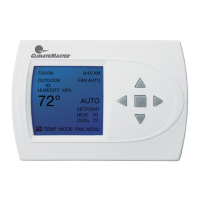
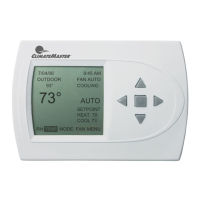
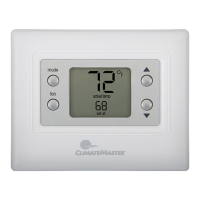
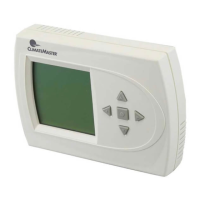
THERMOSTAT DETAILS
REMOVING OLD THERMOSTAT
Before removing wires from old thermostatҋs switching subbase,
label each wire with the terminal designation it was removed from.
1. Remove Old Thermostat: A standard heat/cool thermostat
consists of three basic parts:
a. The cover, which may be either a snap-on or hinge type.
b. The base, which is removed by loosening all captive screws.
c. The switching subbase, which is removed by unscrewing
the mounting screws that hold it on the wall or adaptor plate.
2. Shut off electricity at the main fuse box until installation is
complete. Ensure that electrical power is disconnected.
3. Remove the front cover of the old thermostat. With wires still
attached, remove wall plate from the wall. If the old thermostat
has a wall mounting plate, remove the thermostat and the wall
mounting plate as an assembly.
4. Identify each wire attached to the old thermostat.
5. Disconnect the wires from the old thermostat one at a time. DO
NOT LET WIRES FALL BACK INTO THE WALL.
6. Install new thermostat using the following procedures.
To prevent electrical shock and/or equipment damage,
disconnect electrical power to the system at the main
fuse or circuit breaker until installation is complete.
CAUTION
!
Failure to follow and read all instructions carefully
before installing or operating this control could cause
personal injury and/or property damage.
Assemble tools required as shown below.
YOUR THERMOSTAT REPLACES
1
2
3
WIRE CUTTER/STRIPPER
Description
Heat Pump (No Aux or Emergency Heat) Yes
Heat Pump (with Aux or Emergency Heat) Yes
oNsmetsyS gnilooC & taeH dradnatS
oNsmetsyS ylnO taeH dradnatS
Millivolt Heat Only Systems – Floor or Wall Furnaces No
oNgninoitidnoC riA lartneC dradnatS
o
NtaeH liO ro saG
oNecanruF cirtcelE
Hydronic (Hot Water) Zone Heat – 2 Wires No
Hydronic (Hot Water) Zone Heat – 3 Wires No
HAND OR POWER
DRILL WITH 3/16 INCH
DRILL BIT, IF NEEDED
FLAT BLADE SCREWDRIVER
SPIRIT LEVEL OR PLUMB BOB AND LINE OPTIONAL—
THERMOSTAT DOES NOT NEED TO BE LEVEL TO WORK PROPERLY
Figure 1. Thermostat base
W905
Clip for
Slow Cycle
W904
Clip for
Celsius
W903
Clip to
Disable
EMR
Feature
Mounting
hole
W906 for Emergency
Heat Second Stage
Fan Control
O/B
Terminal
Switches
Selection
Mounting
hole
Preparations .................................................1
Thermostat Details .......................................1
Removing Old Thermostat ........................ 1-2
Mounting and Wiring................................. 2-3
Check Thermostat Operation ................... 4-5
Programming your Thermostat ................. 6-7
Speci cations ...............................................7
Troubleshooting ........................................ 7-8
Revision History..........................................12

Questions and Answers

  • M
    michaelstephensJul 31, 2025
    What to do if my ClimateMaster ATP21W02 has no heat, cool, or fan?
    • H
      Heidi GrayJul 31, 2025
      If your ClimateMaster Thermostat isn't providing heat, cool, or fan, the issue might be a blown fuse or tripped circuit breaker; in this case, replace the fuse or reset the breaker. Another potential cause is the furnace power switch being set to OFF, so ensure it's turned ON. Lastly, check the furnace blower compartment door panel; if it's loose or improperly installed, replace it in the correct position to engage the safety interlock or door switch.
  • C
    Christopher BaldwinAug 4, 2025
    Why is my ClimateMaster ATP21W02 Thermostat not producing heat?
    • S
      Stephen WoodsAug 4, 2025
      If your ClimateMaster Thermostat isn't producing heat, ensure the System Switch is set to HEAT and the setpoint is raised above the room temperature. Also, check that both the thermostat and system wires are securely attached. As a diagnostic step, set the System Switch to HEAT and raise the setpoint; the thermostat should make a soft clicking sound within a few seconds. If the thermostat doesn't click after being reset, it may be in a Furnace Lock-Out Condition, and you should contact your heating and cooling service person or place of purchase for a replacement.
  • D
    donald52Aug 8, 2025
    How to fix a ClimateMaster ATP21W02 Thermostat that is not cooling?
    • S
      Steven ParsonsAug 8, 2025
      If your ClimateMaster Thermostat is not cooling, set the System Switch to COOL and lower the setpoint below the room temperature. Also, ensure that the thermostat and system wires are securely attached.
  • H
    hansenkimberlyAug 12, 2025
    What to do if ClimateMaster Thermostat heat, cool, or fan runs constantly?
    • A
      Andrew GarciaAug 13, 2025
      If the heat, cool, or fan on your ClimateMaster Thermostat runs constantly, check each wire connection to make sure they are not shorted or touching. You can also try resetting the thermostat.
  • V
    victoria41Aug 16, 2025
    Why doesn't my ClimateMaster ATP21W02 Thermostat follow the program?
    • C
      Craig MatthewsAug 17, 2025
      If your ClimateMaster Thermostat isn't following the set program, verify the current clock and program settings, paying close attention to the AM or PM designations for each time period. It could also be due to a voltage spike or static discharge; try using the Reset Operation.
  • M
    Michael BensonAug 22, 2025
    How to adjust the cycle rate on my ClimateMaster Thermostat?
    • T
      Tiffany ArmstrongAug 22, 2025
      The cycle rate of your ClimateMaster Thermostat might be affected by its location or the size of the heating/cooling system. If clipping W-905 does not result in an acceptable cycle rate, contact a local service person for additional suggestions.
  • S
    Sarah RussoAug 26, 2025
    What to do if my ClimateMaster ATP21W02 Thermostat display is blank and the keypad isn't responding?
    • A
      Ashley DouglasAug 26, 2025
      If your ClimateMaster Thermostat has a blank display and the keypad is not responding, this could be due to a voltage spike or static discharge. Try using the Reset Operation.

Summary

Preparations

Thermostat Details

Thermostat Replacement Guide

Table indicating which HVAC systems this thermostat can replace.

Removing Old Thermostat

Attach Thermostat Base to Wall

Instructions for attaching the thermostat base to the wall using mounting screws.

Battery Location and Replacement

Details on the location of thermostat batteries and their replacement.

Mounting and Wiring

Check Thermostat Operation

System Operation Checks

Step-by-step procedures for verifying the operation of fan, heating, emergency, and cooling systems.

Thermostat Interface Overview

Details on thermostat buttons, switches, and display indicators for user interaction.

Configuration Menu

Operating Features

Programming Your Thermostat

Set Current Time and Day

Instructions for setting the current time and day on the thermostat.

Enter Heating Program

Step-by-step guide to programming the heating schedule and temperatures.

Enter Cooling Program

Procedure for programming the cooling schedule and temperatures.

Check Your Programming

Steps to verify the programmed heating and cooling schedules.

Specifications

Troubleshooting

Reset Operation

Procedure for resetting the thermostat to factory defaults.

Battery Replacement Recommendation

Recommendation for replacing thermostat batteries annually for optimal performance.

Revision History

ClimateMaster ATP21W02 Specifications

General IconGeneral
BrandClimateMaster
ModelATP21W02
CategoryThermostat
LanguageEnglish

Related product manuals