CI-90A User’s Manual
Page 11
Section 2: Operation
2.1 Basic operation of the CI-90A
2.1.1 How to take a sample
Before taking a sample, first make sure the aluminum transit cover is removed. This will
prevent possible damage to the internal blower or other electronics.
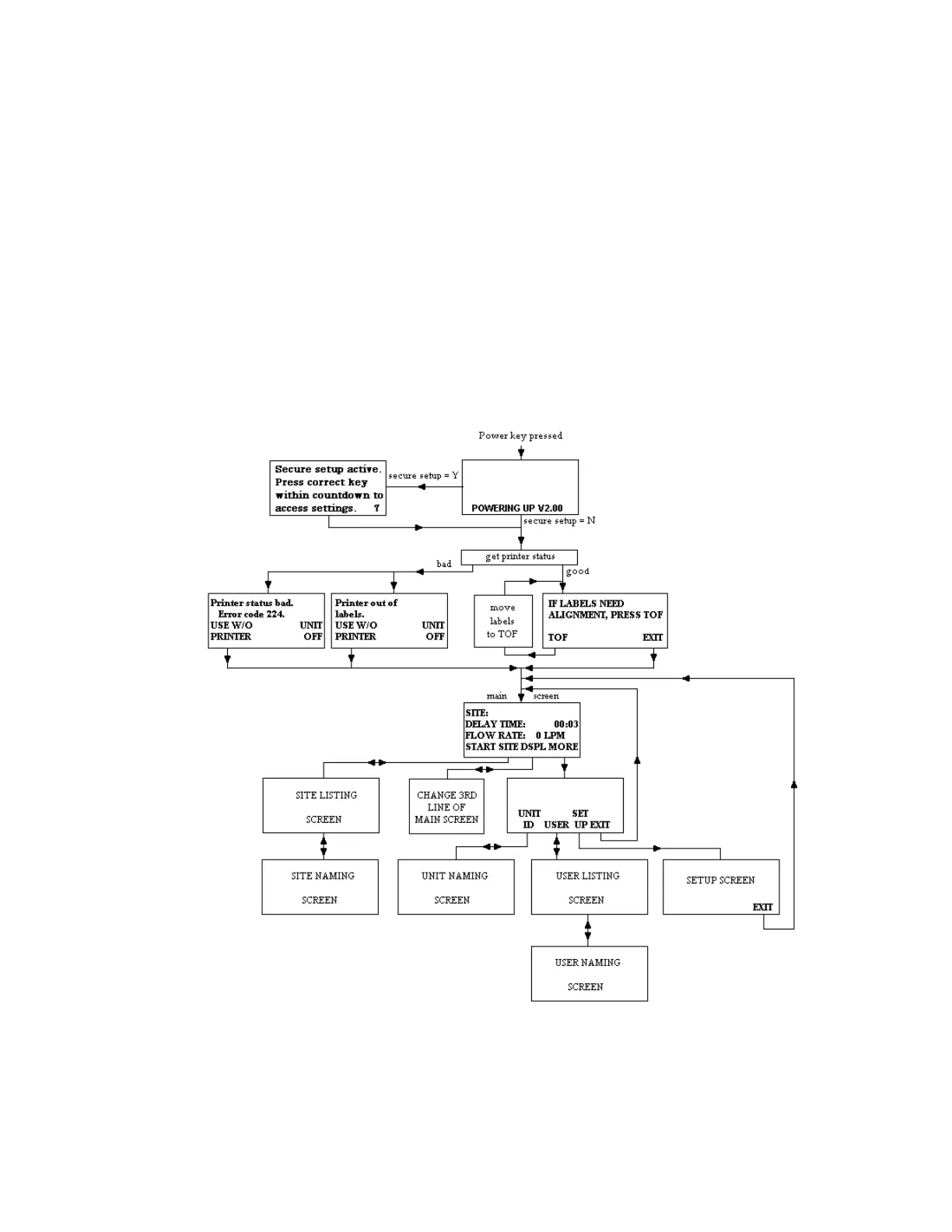
An operational diagram similar to a flow chart is provided below to give an idea of the
intuitively simple operation of the CI-90A.
If not already set up, the sample volume can be set from the main screen by pressing [MORE]
[SETUP] and using the left/right keys to set the desired sample volume. From the same menu the
sample delay can be set, as well as the number of labels to print after the sample has completed.


 To Next Page