111
M0CZ00007-03
PARAMETERS ACCESS / VISUALIZATION
select
6
select
7
select
8
Key functions:
Delete
select
5
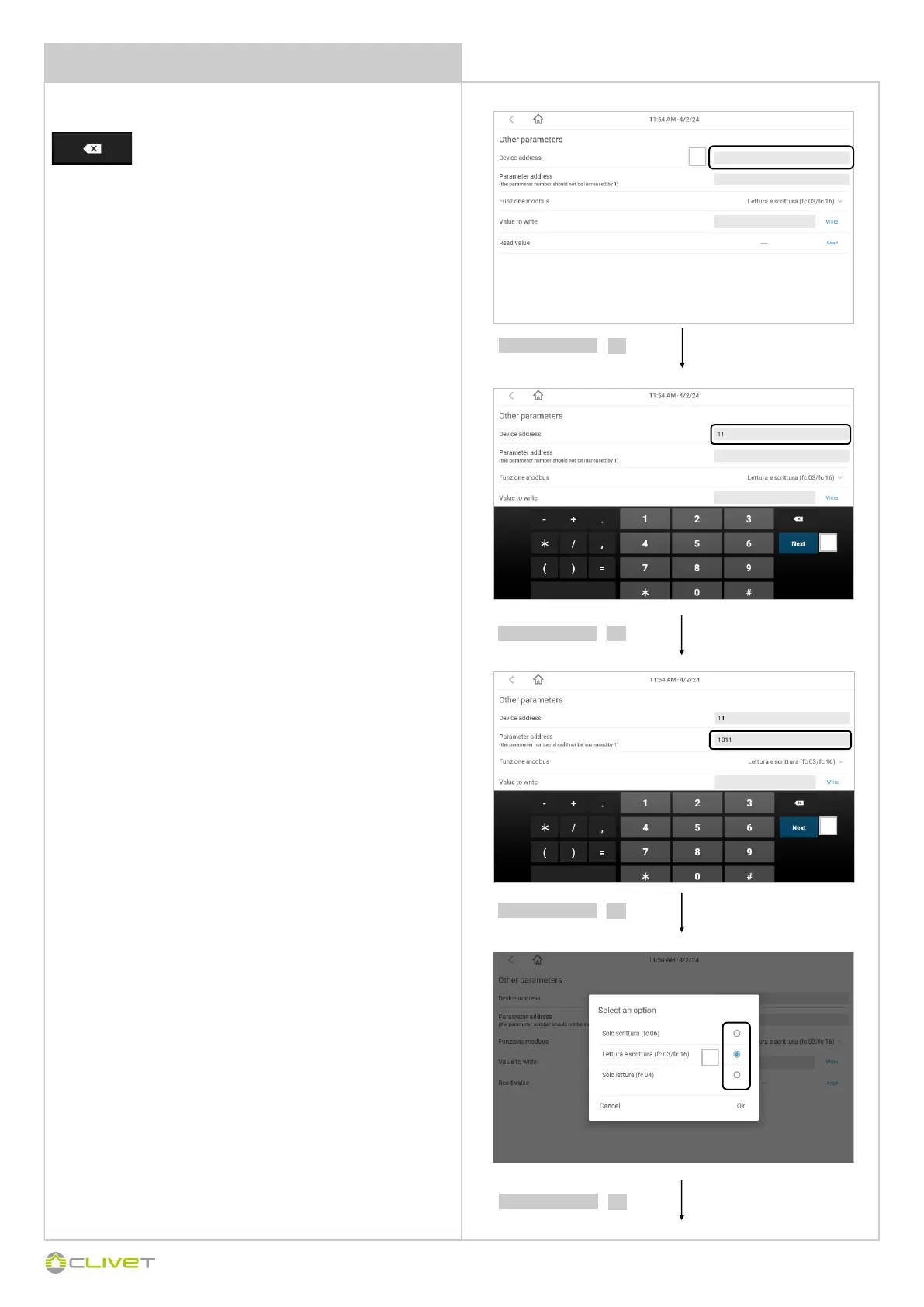
Parameter address field: enter the value of the Modbus register
to be read or written
Example:
10011 - Value in the Modbus mapping of the multiple area module
Device address field= Enter the device’s Modbus address
Example:
for multiple area module 11
Modbus Function field: select the function code to be used for
the reading/writing operation of the parameter to be checked:
Writing only (fc 06)
Reading and writing (fc 03 / fc 16)
Reading only (fc 04)
5
6
7
8



 To Next Page