87
M0CZ00007-03
SYSTEM COMPONENT ADDRESSING
HIDUR built-in temperature and humidity sensor
HID-UR TEMPERATURE AND HUMIDITY SENSOR
The thermostat runs only if combined with the radiant module.
Sensor addressing
Channel Flashings
1 2
2
4
3
6
4
8
5
10
6
12
Addressing key
Signalling LED
A multi-colour LED is fitted on the front part (visible from the front slot) which indicates the device status.
After powering on:
- The device boots up.
- The device is set to operating mode.
Boot up. After turning on, the red LED flashes fast once. If there are no problems, the LED goes off, otherwise it continues flashing.
Red LED flashing. Indicates that no firmware is installed.
Red LED on fixed. Indicates that the sensor is not communicating with the master board. The red LED stays on for maximum 4 seconds
and then goes off in the next 8 seconds.
Operating mode. During operation the LED is off.
Note that in the first 30 seconds of turning on, a blue LED flashes to indicate proper functioning.
Address assignment. During address assignment, the green LED comes on waiting for the onboard button to be pressed.
After assignment, the LED goes off and flashes N times (the number of flashes corresponds to the new address).
Address check. Pressing the onboard button during sensor operation, the green LED flashes N times (the number of flashes corresponds
to the new address).
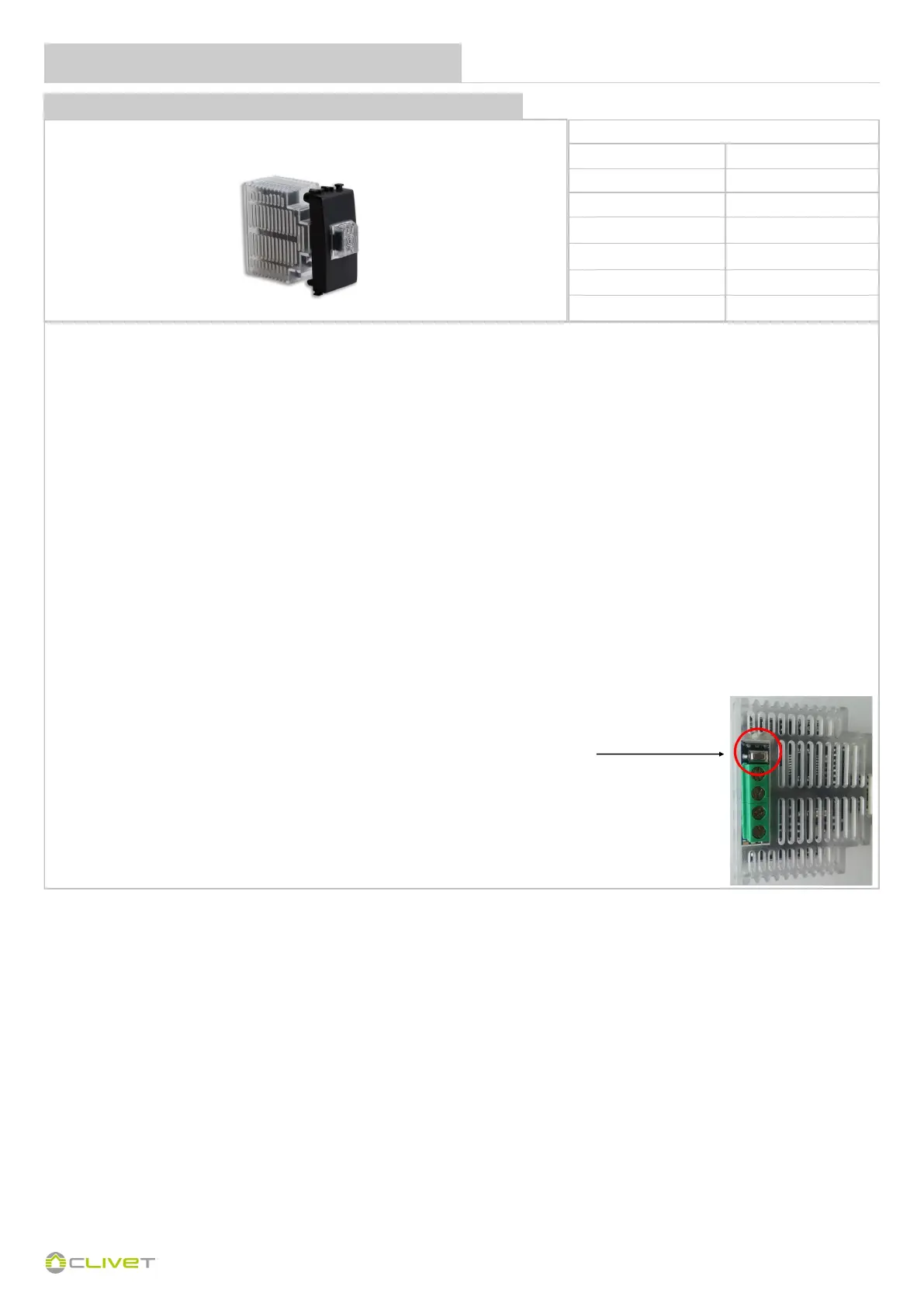
On the back of the sensor there is an addressing button:
1 - Power up and hold down the addressing button; the blue LED will flash 6 times.
2 - Count the number of slow flashes of the green LED up to the address to be assigned and
release the button.
3 - After 7 flashes of the blue LED, the sensor repeats the number of the assigned address with
flashes of the green LED and confirms the procedure with 1 flash of the blue LED.
Refer to page 68 to address the radiant area module.


 To Next Page
 Loading...