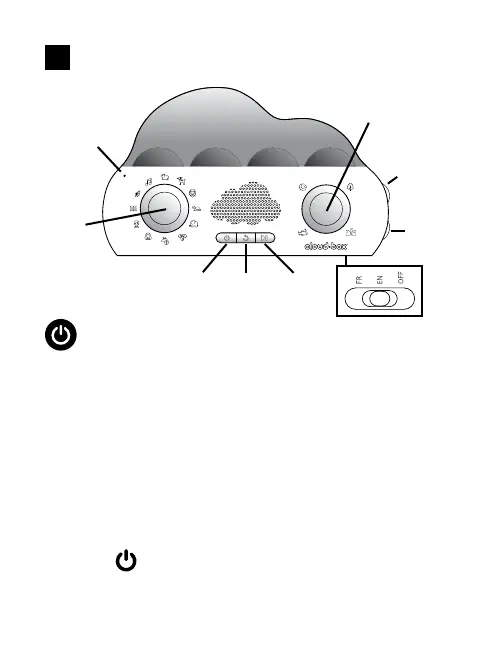
CLOUDBOX UNIT INSTRUCTIONS
Getting Started
Your CloudBox Storyteller includes a USB charging cable. Plug the
smaller connector (USB-C) into the back of the CloudBox. Plug the
larger, rectangular USB connector into a USB power source. The LED
above the USB-C connector will illuminate in RED to let you know the
unit is charging. When the internal battery is fully charged, the LED will
turn GREEN. (Note: unit will not operate while charging or if plugged
in).
On the bottom of the unit is a 3-position slide switch. Slide the switch
from “Off” to the desired language. (Note: if the unit will not be used
for a long period of time, slide the bottom switch to the OFF position.)
Press the button on the front panel to turn on the CloudBox.
The 2 large knobs allow you to select sound modes, characters and
environments.
EN
MICROPHONE
ON/OFF REPEAT SKIP
VOLUME
ENVIRONMENT
SELECTION
PLAY/PAUSE
CONTENT
SELECTION
PLAY/PAUSE
BRIGHTNESS
7



 To Next Page