BACKLIGHTING EFFECTS
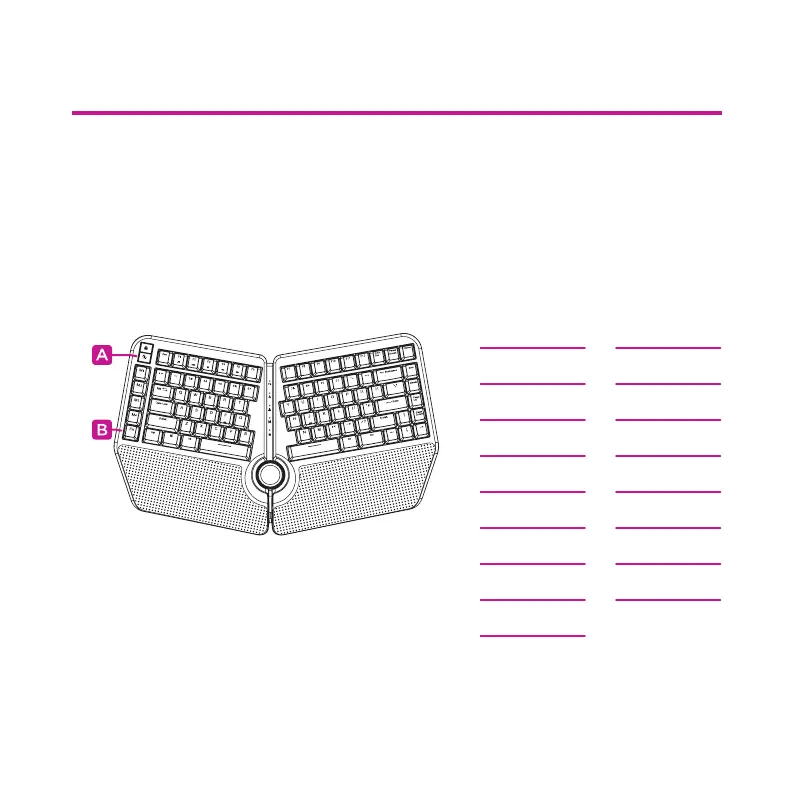
Keyboard backlighting eects can be changed by pressing the
backlighting key (A).
All backlighting can be turned on/o by pressing the
Fn key (B) + backlighting key (A).
White
Colorful
Falling
Glittering
Breath
Spectrum
Volcano
Scrolling
Rolling
Pinwheel
Explode
Launch
Ripples
Flowing
Sine wave
Tilt
Shuttle
Single on
Single o
LIGHTING EFFECTS
Smart Control Wheel backlighting
can be turned on/o by pressing
the Fn key (B) + “Q” key.



 To Next Page