18
Menu Operation
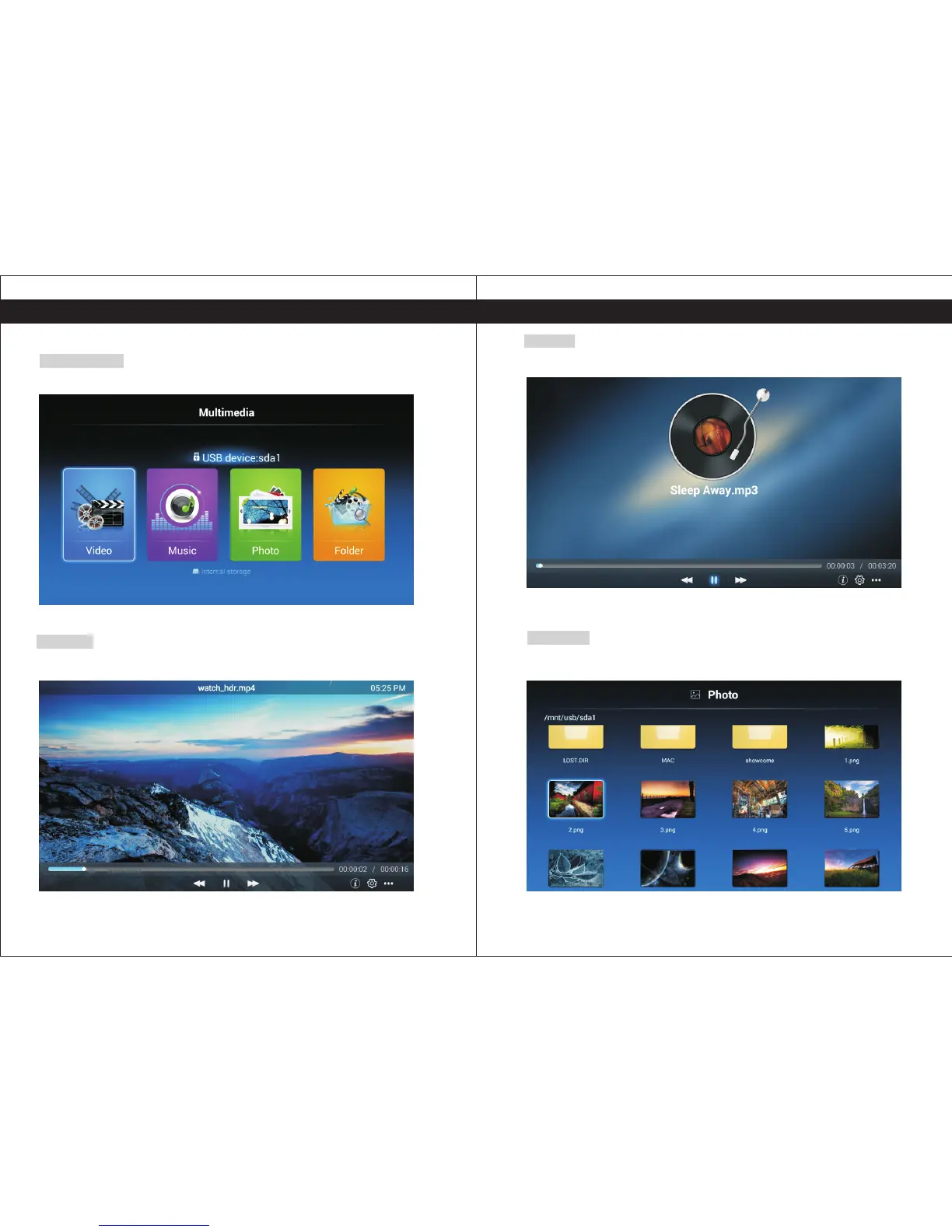
Click "Music" from Multimedia and use the navigation keys on your remote to select the
music/audio file you want to play.
17
Menu Operation
My Media
Multimedia
Play your movies, music and photos directly on the TV from your external storage devices.
Music
Photo
Videos
Click "Video" from Multimedia and use the navigation keys on your remote to select the video
file you want to play.
Click "Photo" from Multimedia and use the navigation keys on your remote to select the
photo/image you want to view.


 To Next Page