13
Menu Operation
14
Menu Operation
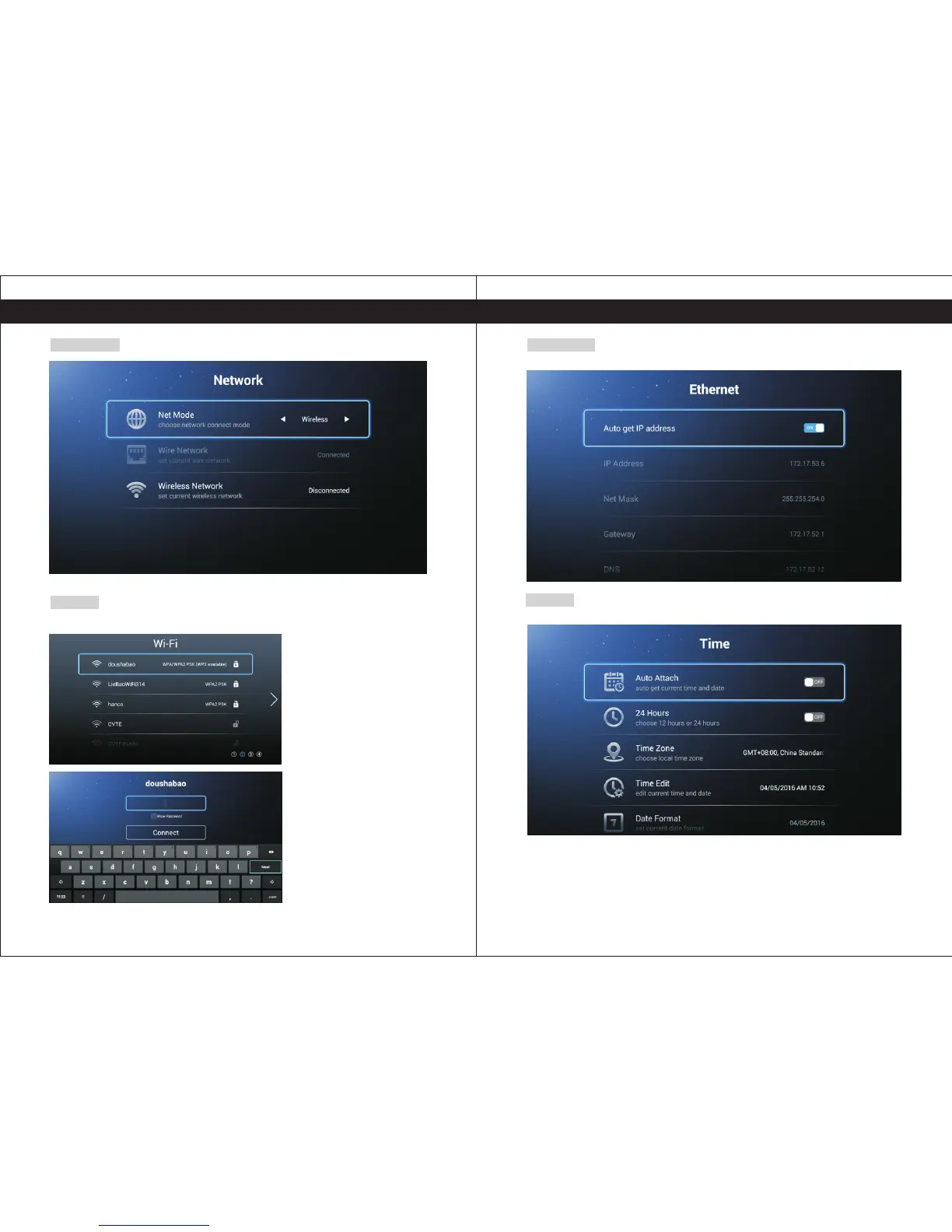
Network Ethernet
Wi-Fi
Select your Wi-Fi Network and type your password to connect.
Insert the Ethernet cable, and enable Auto get IP to connect.
Time
Press the ◄ / ► to select the Time to set.
Auto Attach Get the current time and date automatically.
24 Hours Select the 12 hours or 24 hours.
Time Zone Select the local time zone.
Time Edit Edit the current time and date.
Date Format Set current date format.


 To Next Page