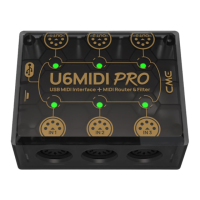
16 / 17
Please check if the connected USB device is powered on.
Please check if the USB port of the connected USB device
supplies power (ask the device manufacturer for information)?
⚫ The computer does not receive MIDI messages when playing a
MIDI keyboard:
Please check if the U6MIDI Pro is correctly selected as the MIDI
IN device in your music software.
Please check if you ever set up custom MIDI routing through the
UxMIDI Tool software. You can try to press and hold the button
for more than 5 seconds and then release it in the power-on
state to reset the interface to the factory default state.
⚫ The external sound module is not responding to the MIDI
messages created by the computer:
Please check if the U6MIDI Pro is correctly selected as the MIDI
OUT device in your music software.
Please check if you ever set up custom MIDI routing through the
UxMIDI Tool software. You can try to press and hold the button
for more than 5 seconds and then release it in the power-on
state to reset the interface to the factory default state.
⚫ The sound module connected to the interface has long or
scrambled notes:
This problem is most likely caused by a MIDI loop. Please check
if you have set up custom MIDI routing via the UxMIDI Tool
software. You can try to press and hold the button for more than


 To Next Page
 Loading...