EasyManua.ls Logo

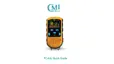
CMI Health PC-66L - User Manual

CMI Health PC-66L
81 pages
Print Icon
To Next Page IconTo Next Page
Loading...
User Manual for Pulse Oximeter
I
Instructions to User
Dear Customer,
Thank you for purchasing this quality product. Please read the
manual very carefully before using this device. Failure to follow
these instructions can cause measuring abnormality or damage to
the Oximeter.
No part of this manual may be photocopied, reproduced or
translated into another language without the prior written
consent. We reserve the right to revise and amend it at any time
without prior notice.
Version of the Manual: Ver 1.6
Issued Date: November 6, 2018
Copyright CMI Health Inc.
All rights reserved.
Notes:
The contents contained in this manual are subject to change
without prior notice.
Information furnished by CMI Health is believed to be
accurate and reliable. However, no responsibility is
assumed by CMI Health for its use, or any infringements
of patents or other rights of third parties that may result from
its use.
3502-2490003

Other manuals for CMI Health PC-66L

Questions and Answers

Summary

Instructions to User

Instructions for Safe Operation

Provides essential guidelines for safe usage and operation of the oximeter.

Cautions

Highlights critical warnings and precautions to prevent device damage or misuse.

Warnings

Details potential risks, adverse effects, and critical limitations of the device's use.

Attentions

Lists important considerations for proper handling, environment, and usage of the oximeter.

Declaration of Conformity

States compliance with relevant standards and directives for medical devices.

1 Overview

1.1 Appearance

Describes the physical components and external features of the oximeter.

1.2 Product Name and Model

Identifies the specific name and model number of the pulse oximeter device.

1.3 Structure

Outlines the basic components that make up the pulse oximeter system.

1.4 Features

Lists the key functionalities and capabilities of the pulse oximeter.

1.5 Intended Use

Specifies the purpose and target user group for the pulse oximeter.

1.6 Working Environment

Details the recommended environmental conditions for optimal device performance.

2 Battery and Stand

3 SpO2 Probe Connection

Instructions of Operation

Provides step-by-step guidance on how to correctly connect and use the SpO2 probe.

4 Operation

4.1 Power on;off the Oximeter

Explains the procedure for turning the device on and off using the power button.

4.2 Default Display Screen

Describes the standard screen layout and the information it displays during operation.

4.3 Display Screen with PI Value

Details the alternative display screen that shows Perfusion Index (PI).

4.4 Menu Setup

Guides users on navigating and configuring device settings, including parameter setting, data upload, default reset, language, and version checks.

4.5 Data Recall

Explains how to access and review previously stored measurement data, including trend graphs and deletion.

5 Technical Specifications

A. Display Mode

Specifies the type of display used by the oximeter.

B. Power Supply

Details the voltage and current requirements for the device's power source.

C. SpO2 Measurement

Outlines the technical specifications for SpO2 measurement accuracy and range.

D. Pulse Rate Measurement

Provides the specifications for pulse rate measurement, including range and accuracy.

E. Perfusion Index Display

Specifies the range and function of the Perfusion Index display.

F. Operating Environment

Details the recommended environmental conditions for optimal device performance.

G. Data Update

Describes how data readings are updated and averaged.

H. Data Storage

Details the capacity and method of data storage within the device.

I. Low Perfusion Performance

Explains the device's performance under conditions of low blood perfusion.

J. Resistance to interference of surrounding light

Describes the device's resilience to ambient light interference.

K. Dimensions

Provides the physical size measurements of the oximeter.

L. Classification

Details the device's classification regarding electrical safety and protection.

6 Over-limit Indication

6.1 Limit settings

Explains how to configure the high and low limits for SpO2 and pulse rate.

6.2 Over-limit alarm mute setting

Guides on how to temporarily mute the over-limit alarm sounds.

7 Packing List

8 Repair and Maintenance

8.1 Maintenance

Provides recommendations for maintaining the device to ensure its longevity.

8.2 Cleaning and Disinfecting Instruction

Details the proper methods for cleaning and disinfecting the oximeter.

9 Troubleshooting

Device kept showing “Check probe!”

Addresses issues related to probe connection errors and troubleshooting steps.

The device could not detect signals.

Provides solutions for when the device fails to detect measurement signals.

The device is malfunctioning.

Offers guidance for general device malfunctions and contact for support.

Infant foot warp sensor kept coming off

Solutions for issues with infant sensor attachment or securement.

Suspect inaccurate reading

Explains potential causes and remedies for inaccurate measurement readings.

No signal

Troubleshooting steps for when the device displays no signal or dashes.

Improper sensor;improper body type setting

Addresses issues arising from incorrect sensor or patient type selection.

Device shows two dashes

Specific troubleshooting for the "two dashes" display indicator.

FAQ

Battery

Answers common questions regarding the device's battery life and replacement.

Data storage

Addresses inquiries about how data is stored and managed by the device.

PC Software

Provides information about the companion software for PC data management.

Appendix

Key of Symbols

Explains the meaning of various symbols used on the device screen and panels.

Pulse Oximetry Knowledge

1 Meaning of SpO2

Defines SpO2 and explains its calculation and significance.

2 Principle of Measurement

Describes the scientific principles behind pulse oximetry measurement.

3 Normal SpO2 Range and Default Low Limit

Discusses normal SpO2 values and the typical low limit setting for hypoxia detection.

4 Factors affecting SpO2 accuracy (interference reason)

Lists external factors that can interfere with and affect SpO2 measurement accuracy.

5 Factors causing low SpO2 value (pathology reason)

Identifies pathological conditions that can lead to low SpO2 readings.

CMI Health PC-66L Specifications

General IconGeneral
BrandCMI Health
ModelPC-66L
CategoryMedical Equipment
LanguageEnglish

Related product manuals