32802000102 Specifications subject to change without notice. 13
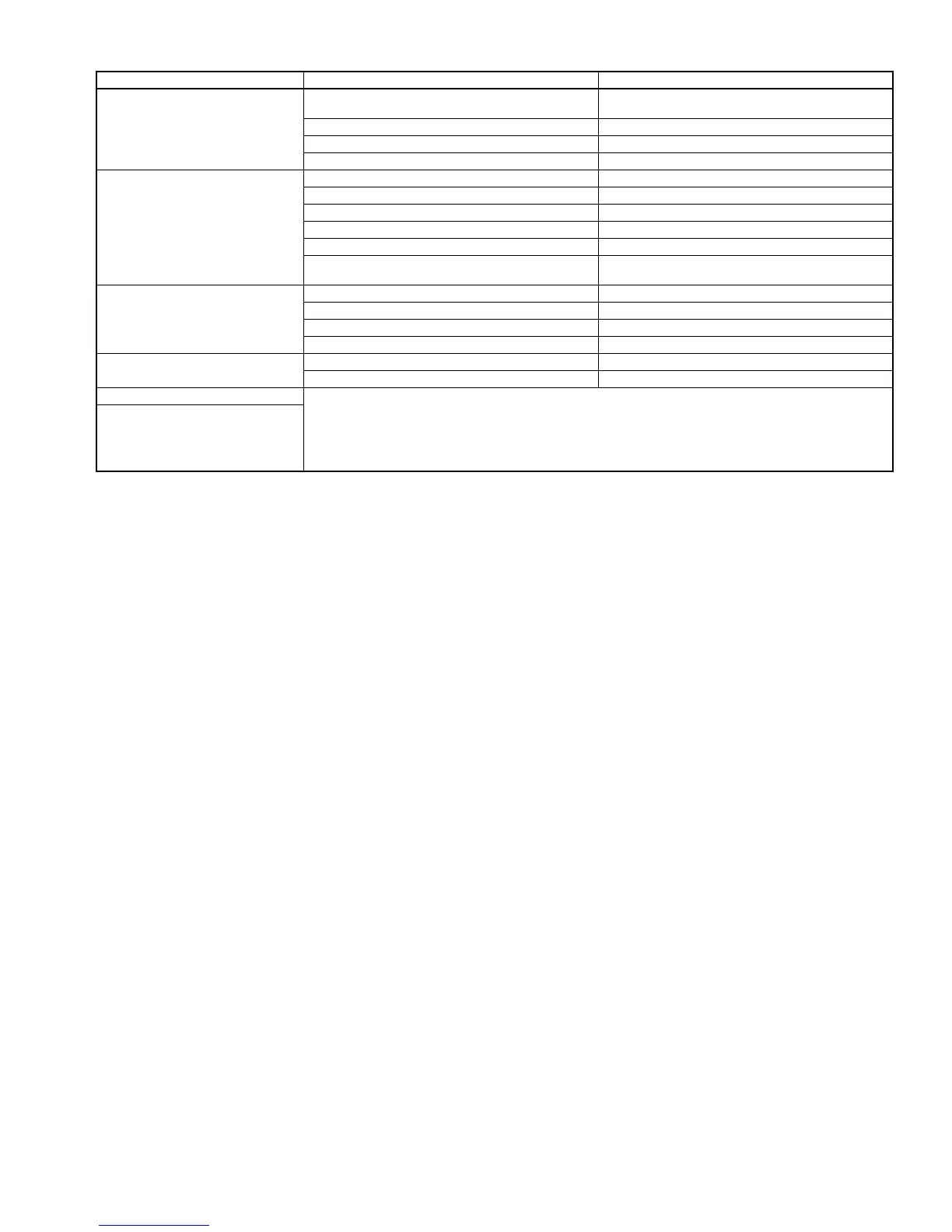
Table 3 — Troubleshooting
*Diagnostic lights are a combination of lights that will illuminate in the display area on the unit. They are a combination of the lights you see
during normal operation.
PROBLEM POSSIBLE CAUSE SOLUTION
Unit/System Does Not Work
The circuit breaker has tripped or a fuse has blown.
Reset the circuit breaker or replace the fuse with the
specified replacement fuse.
Power Failure Restart operation when the power is restored.
Diagnostic lights illuminate* Call your service representative.
Voltage is too low Call your service representative.
Cooling is Not Working Properly
The filter is blocked by dust Clean the air filter.
Temperature is not set properly Check the temperature and reset if necessary.
A window or door is open Close the window or door.
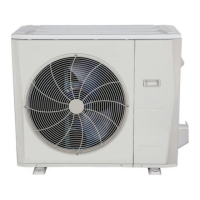
The outdoor unit is obstructed Remove the obstruction.
The fan speed is too low Change the fan speed selection.
The operation mode is in Fan instead of Cool
Change the operating mode to Cool or reset the
unit.
Heating is Not Working Properly
The filter is blocked with dust. Clean the air filter.
Temperature is set too low Check the temperature and reset if necessary.
A window or door is open Close the window or door.
The outdoor unit is obstructed Remove the obstruction.
Unit Stops During Operation
The Off timer is not operating correctly Restart the operating mode.
Diagnostic lights illuminate.* Call your service representative.
Indicator lamps continue flashing
The unit may stop operation or continue to run safely. If the indicator lamps continue to flash or error
codes appear, wait for about 10 minutes. The problem may resolve itself.
If not, disconnect the power, then connect it again. Turn the unit on.
If the problem persists, disconnect the power and contact your nearest customer service center.
Error code appears in the indoor
unit window display:
• E0, E1, E2…
• P1, P2, P3…
• F1, F2, F3…


 To Next Page