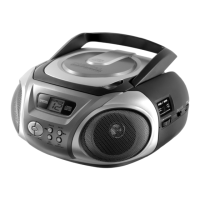
CD-Player
- 6 -
5. CD-Player
5.1. Insert CD / MP3 CD
1. Lift the CD-loading upward.
2. Insert a CD with the label up and carefully press it down
onto the ball bearing spindle.
3. Close the CD drive manually.
5.2. CD / MP3 CD playback
1. Set the function switch to MP3/CD.
2. Press USB/PLAY/PAUSE key and the disk will start
spinning and than playing the first song (track).
This system can play CDs in different playback modes.
1. Press REPEAT/RANDOM
Setting playback
Repeat
(press once)
Repeat current track.
Repeat All
(Press twice)
Repeat all tracks on the CD.
Random
or Shuffle
(press triply)
Repeat all tracks on the CD in
random order.



 To Next Page