Version 1 Page 6 of 24 cmx® STINGRAY
3. Buttons and Display
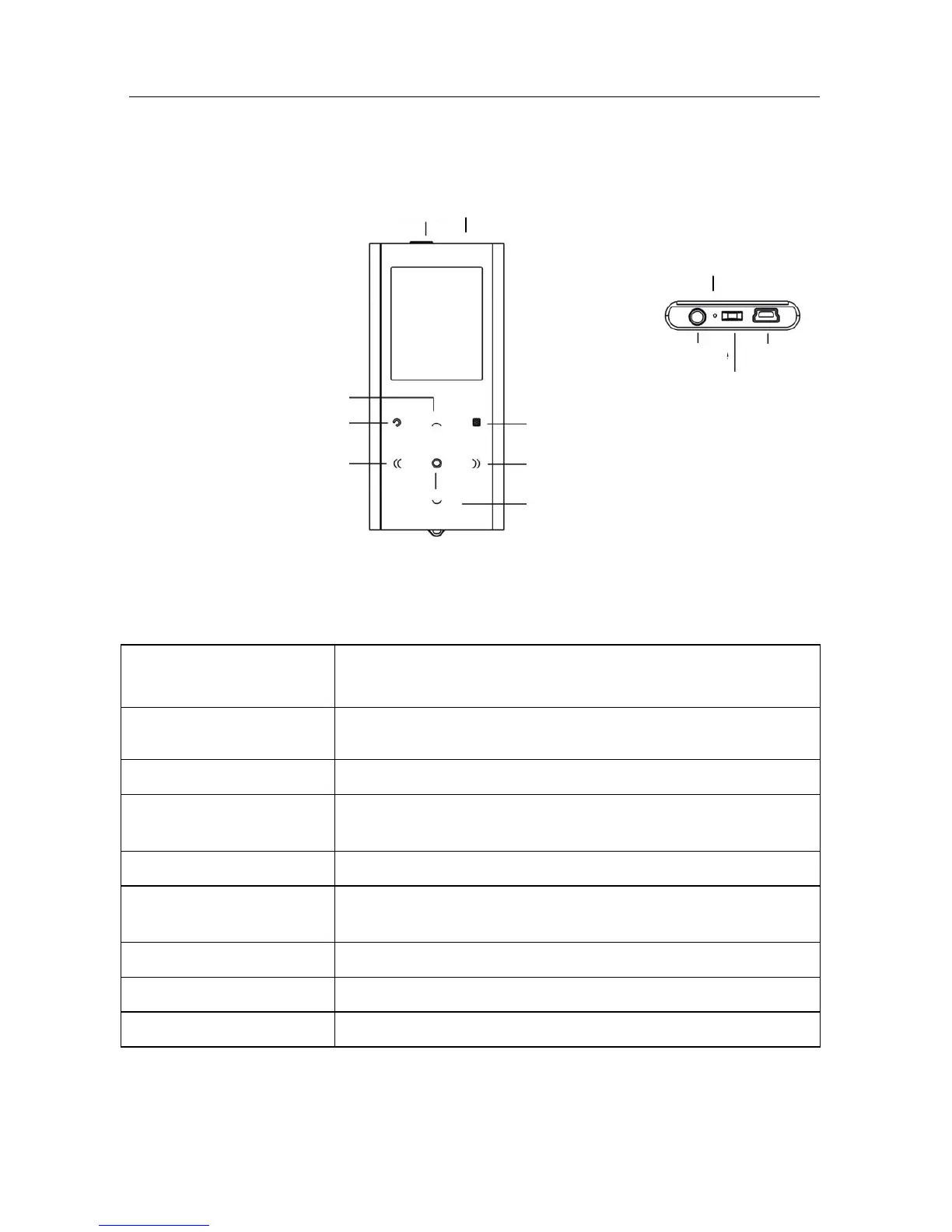
3.1. Key Functions
ON/OFF Turn player on/off
HOLD function to lock keys
Vol+ / Up Increase volume and up in the menu
Vol- / Down Decrease volume and down in the menu
Back Back, previous track, in video playback: decrease
volume
Forward Forward, next track, in video playback: increase volume
Enter / Play / Pause Enter in menu, Start / Pause in music and video
playback
Exit Exit, one level back
Menu / Options Access submenus and options
Reset* Reset the unit to factory settings.
*Caution: User settings; data loss may occur!
ON/OFF Reset
Vol+ / Up
Exit
Back
Enter / Play / Pause
Menu / Options
Forward
Vol- / Down
Earphones
USB
Strap
Microphone



 To Next Page