OK
Confirmation key/video record
& photo taking button
Video / Photo / Menu confirmation key
Standby mode, press this button to
launch the on / off camera;
Photograph mode, press the key to
take photos;
menu mode to confirm key;
7
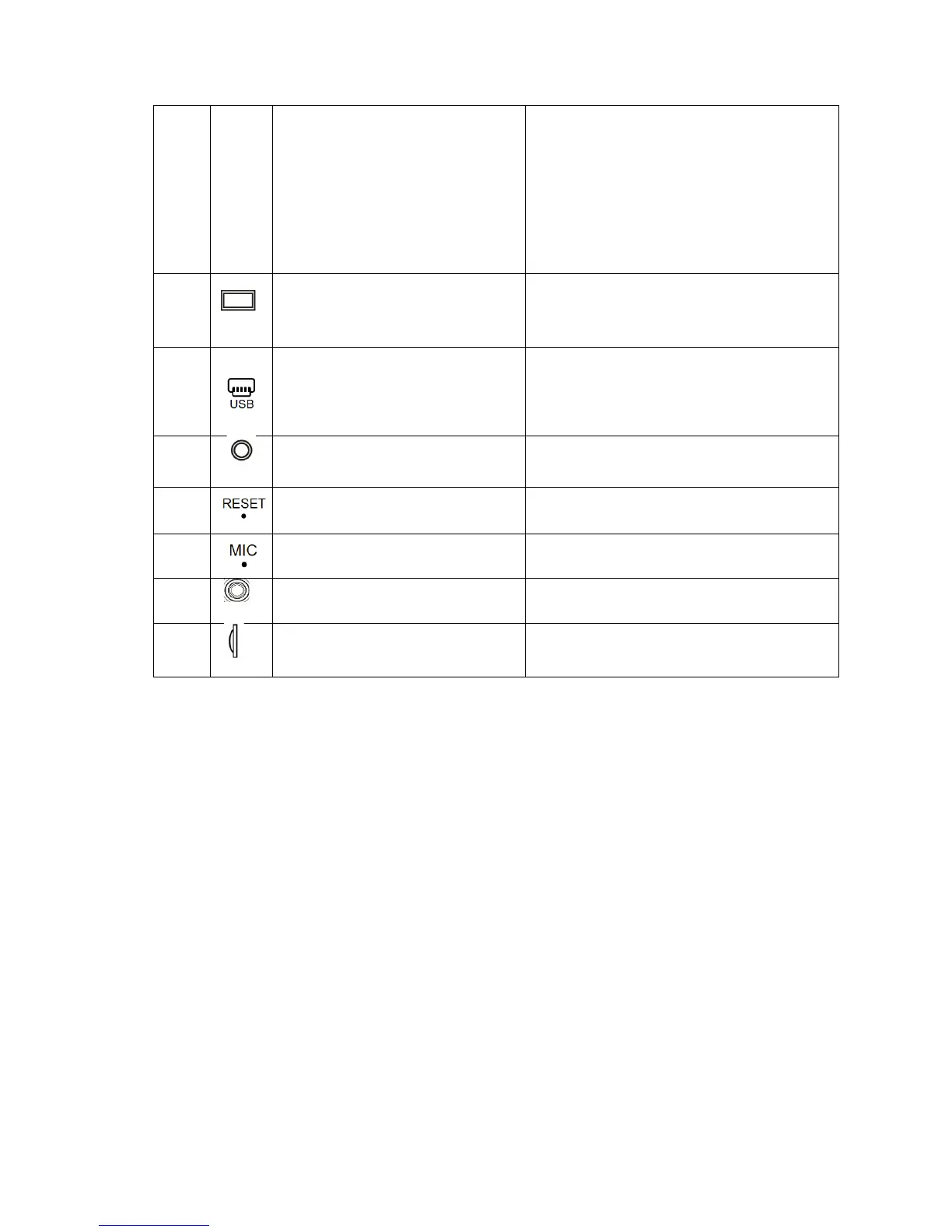
Display
4.3 inch 16:9 TFT, high-definition
display screen;
8
The USB interface / Power
Input
Connected to a computer for data;
Power In connection
9 AV In Rear-view Camera connection port
10
Reset button System restart reset button;
11
Microphone Collection the sound
12 Front Camera Front Camera video/image collection
13
TF card slot TF memory card slot, 4GB to 32GB


 To Next Page