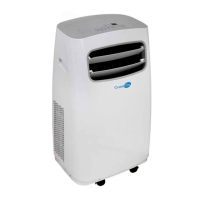
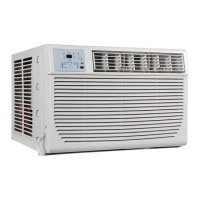
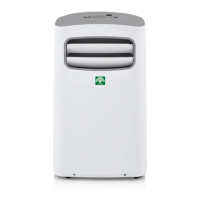
This document is an Installation and Operation Instruction Manual for Coast Air Portable Room Air Conditioners, covering models CEP-81B, CEP-101B, and CEP-121B. It provides comprehensive information for safe installation, operation, and maintenance of the units.
Function Description
The Coast Air Portable Room Air Conditioner is designed to provide cooling, heating (on some models), dehumidification (DRY mode), and fan-only operation for indoor spaces. It is a portable unit equipped with wheels for easy movement. The unit can be controlled via its integrated control panel or a remote controller (sold separately on some models). It features an exhaust hose system to expel hot air outside, which is required for COOL, HEAT (heat pump type), or AUTO modes. For FAN, DRY, or HEAT (electrical heat type) modes, the exhaust hose should be removed. The appliance is designed to be user-friendly with adjustable temperature settings, fan speeds, and timer functions. Some models include a "Follow Me/Temp Sensing" feature for more precise temperature control using the remote, and an "Auto Swing" feature for automatic louver movement.
Important Technical Specifications
- Models Covered: CEP-81B, CEP-101B, CEP-121B.
- Refrigerant: R32 or R290 (flammable refrigerants, requiring specific safety precautions and certified technicians for servicing). The manual emphasizes that the appliance should be stored in a well-ventilated area without continuous operating ignition sources.
- Power Supply: Requires a properly grounded wall receptacle with appropriate voltage. Voltage information is found on the unit's nameplate. The power cord is equipped with a three-prong grounding plug.
- Fuse Specifications: The unit's circuit board (PCB) includes a fuse for overcurrent protection, with specifications like T 3.15A/250V.
- Ambient Temperature Range for Unit Operating:
- Cool Mode: 62-95°F
- Dry Mode: 55-95°F
- Heat (pump heat mode): 41-86°F
- Heat (electrical heat mode): 86°F
- Exhaust Duct: Standard installation uses an un-extended exhaust duct (Diameter: 6 in., Length: 60 in.). Some models may use a 10 ft. extended exhaust duct with two 6-inch ducts.
- Cooling Capacity (SACC): The manual notes that cooling capacity claims on newer models (post-2017) may appear lower due to changes in federal test procedures (DOE test procedure at title 10 Code of Federal Regulations (CFR) 430, subpart B, appendix CC), not a change in the actual cooling capacity of the units. SACC stands for Seasonally Adjusted Cooling Capacity in Btu/h.
- Minimum Room Area: Appliance should be installed, operated, and stored in a room with a floor area according to the amount of refrigerant charged, as specified on the unit's label.
- Safety Features: Includes warnings about potential personnel injury, property damage, and serious consequences. Emphasizes proper grounding, installation on a flat surface, and keeping the unit free from obstructions. The unit's circuit board has a fuse for overcurrent protection. Error codes (E1, E2, E3, E4, EC, E7, P1) are displayed for various malfunctions and protection events.
Usage Features
- Control Panel: Features buttons for Wireless (on some models), Swing, Sleep/Eco/Filter, Timer, Fan/Constant Fan/Ion (on some models), Mode, Up (+), Down (-), and Power.
- Modes of Operation: AUTO, COOL, DRY, FAN, and HEAT (cooling only models without).
- Temperature Adjustment: Settings range from 62°F to 86°F (or 88°F) in 1°F (or 2°F) increments. The display can switch between Fahrenheit and Celsius by pressing and holding the Up and Down buttons for 3 seconds.
- Fan Speed Control: Four steps: LOW, MID (MED), HIGH, and AUTO. In COOL or DRY mode, a constant fan function can be toggled.
- Timer Function: Allows setting AUTO ON start time and AUTO OFF stop time programs, ranging from 0.5 to 24 hours.
- Sleep/ECO Operation: Gradually adjusts the set temperature (increases in cooling, decreases in heating) over 60 minutes, then maintains it for 7 hours before returning to the original setting. Unavailable in FAN or DRY modes.
- Auto-Restart: If power is interrupted, the unit will restart with previous settings once power resumes.
- Wait 3 Minutes Before Resuming Operation: A protective delay after the unit stops before it can be restarted.
- Air Flow Direction Adjustment: Louver can be adjusted automatically (Auto Swing) or manually on some models.
- Power Management Feature (on some models): In cooling mode, if ambient temperature is lower than the setting temperature for a period, the unit automatically stops the compressor and fan motor to save energy.
- Water Drainage: During dehumidifying modes, the upper drain plug should be removed, and a drain hose installed to direct water away. For heating pump mode, the lower drain plug is used. The unit will display "P1" and beep 8 times when the bottom tray is full, stopping operation until drained.
Maintenance Features
- Safety Precautions: Always unplug the unit before cleaning or servicing. Do not use flammable liquids, harsh chemicals, or run water over the unit. Do not operate with a damaged power supply.
- Air Filter Cleaning: Filters should be cleaned every 2 weeks for optimal performance. The manual provides instructions for removing and cleaning the upper and lower filters. Operating without a filter can clog the unit and reduce performance.
- Unit Cleaning: Use a damp, lint-free cloth and mild detergent, then dry with a dry, lint-free cloth. Avoid harsh cleansers, wax, or polish on the cabinet front.
- Storage (when not in use):
- Drain the water collection tray completely.
- Run the appliance in FAN mode for 12 hours in a warm room to dry it and prevent mold.
- Turn off and unplug the unit.
- Clean and reinstall the air filter.
- Remove batteries from the remote control.
- Store the unit in a cool, dark place away from direct sunlight or extreme heat.
- Troubleshooting Tips: The manual includes a table of common problems, possible causes, and solutions, such as "P1 Error Code" (bottom tray full), "The air filter is blocked with dust or animal hair," "Exhaust hose is not connected or is blocked," and "The unit is low on refrigerant."

 Need help?
 General

 To Next Page