22-787v01E-2210A-G450 Instructions.pdf 1 11/1/22 11:49 AM
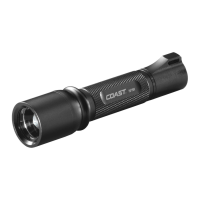
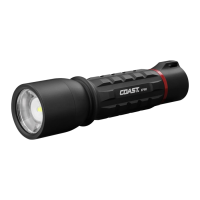
INSTRUCTIONS: COAST6450 FLASHLIGHT
LIGHT SETTINGS
To turn on the G450,click the power
button on the tail cap. The light will start
on the Mediumlight mode, then cycle to
High,andfinally to Low.Tocycle from
one light mode to the next, quickly click
the power button two times.
The G450is also equipped with Coast's
Quick-CycleTMtechnology. Lightly pulse
the power button to preview each mode.
Fully click the power button once you've
found your desired modeto select it.
Asingle click of the powerbutton from
any modewill turn off the light.
FOCUSING
Toadjust from Ultra-View Flood beam
to Bulls-EyeTMSpot beam, twist the
bezel clockwise.
POWER
The G450is powered by six COAST
Extreme Performance AA Alkaline
Batteries. To replace the batteries,
unscrewthe tailcap of the flashlight
and remove the battery cartridge
from the battery compartment.
Remove the old batteries from the
battery cartridge, discard them, and
refill the battery cartridge with six
new AAbatteries. Return the battery
cartridge to the battery compartment,
with the arrow pointed toward the bezel
of the flashlight.
Do not mix old and new batteries.
COAST Extreme Performance Alkaline
Batteries can be purchased at
coastportland.com/ep
MAINTENANCE
To clean your G450,wipe the external
bodyof the flashlight with a dampcloth.
Note:Donot submergethe G450
WARRANTY
At COAST,we stand behind everything
we make. For warranty information
specific to your country, pleasevisit
www.coastportland.com/warranty
JOINTHECOASTCREW:
Expiditedwarranty service
Earn points towards discounts off your
next purchase
- Exclusiveaccess to promotions and
new product releases
GOTO COASTPORTLAND.COWJOIN
TO SIGN UP



 To Next Page