Need help?
Do you have a question about the COBAN GROUP G05 and is the answer not in the manual?
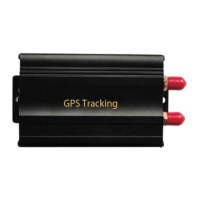
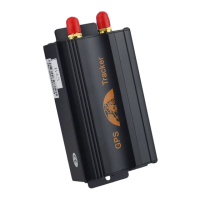
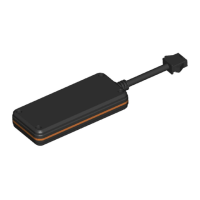
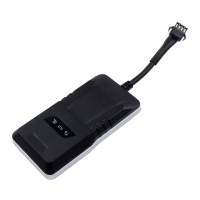
This document serves as a user manual for the G05 GSM/GPRS/GPS Tracker, a device designed for remote location and monitoring of targets via SMS or GPRS networks. The manual outlines the device's main functions, installation instructions, operational settings, and troubleshooting tips.
The G05 tracker operates on existing GSM/GPRS networks and GPS satellites, enabling users to locate and monitor any remote target. Its core functionality revolves around real-time tracking, which can be initiated either by sending an SMS command or by making a missed call to the device number. Upon receiving a tracking request, the device replies with a message containing a Google Maps link, coordinates (latitude and longitude), speed, time, date, and its unique IMEI.
Beyond basic location tracking, the G05 offers several alarm functions to enhance security and monitoring. These include an ignition ON alarm, which notifies the user when the vehicle's ignition is turned on. An overspeed alarm can be configured to alert users if the tracked vehicle exceeds a predefined speed limit. Additionally, a geo-fence alarm allows users to define a virtual boundary, triggering an alert if the vehicle enters or exits this specified area. The device also features a power cut-off alarm, notifying the user if its power supply is interrupted. For advanced control, the G05 can be connected to an external relay, enabling remote cut-off or resumption of the vehicle's oil or power system, an optional feature that provides a layer of security against theft or unauthorized use.
The device supports both GPRS and SMS modes for data transmission, with GPRS being the default. Users can switch between these modes using specific SMS commands. For GPRS tracking, the device can be configured to upload location data to a server at set time intervals when the vehicle is moving, pausing uploads when static to conserve data. The G05 also supports Cell ID tracking, which provides location information based on cellular network towers when GPS signals are weak or unavailable.
To begin using the G05 tracker, a GSM SIM card must be properly inserted into the device, and its small internal switch must be turned to the "ON" position. The SIM card needs to have GPRS functionality enabled and sufficient balance for SMS and data communication. For optimal GPS signal reception, the device should be placed outdoors, with its front side facing the sky. After power-up, the device typically takes 45-90 seconds for its three indicator lights (red for power, yellow for GSM signal, blue for GPS signal) to stabilize, indicating normal operation.
Online tracking requires setting up the device with specific server IP and APN (Access Point Name) details via SMS commands. The manual provides examples for configuring these settings, including the server IP address and port, and the APN details specific to the mobile network operator.
The G05 offers several configuration options via SMS commands, each protected by a password (default: 123456). Users can initialize the device to factory settings, change the password, and authorize up to five phone numbers to receive alerts and control the tracker. A central number can also be designated to receive all alarm SMS messages.
For remote control, commands like "DY+password+space+1" can be sent to cut off the vehicle's oil or power, while "TY+password+space+1" resumes these systems. Various alarms, such as power cut, geo-fence, overspeed, ignition on, and vibration alarms, can be activated or deactivated using specific SMS commands. The vibration alarm also allows for setting different sensitivity levels.
The device's state can be checked at any time by sending a "check+password" SMS command, which prompts the tracker to reply with detailed information including its IMEI, APN, IP, central number, GPS status, GSM signal strength, upload intervals, time zone, alarm statuses (overspeed, geo-fence, vibration), and more. This comprehensive status report helps users monitor the device's operational parameters.
The G05 also supports web-based tracking through a dedicated platform (www.secumore1818.com), where users can log in using the device's IMEI and a default password. The web platform provides real-time tracking, history trace replay, remote control of oil/power, multi-user fleet management, and displays vehicle alarms and status. It also supports Android and iOS mobile applications for convenient tracking on smartphones.
The manual includes a troubleshooting section to address common issues. If the yellow light is flashing, it indicates a SIM card reading failure, suggesting re-installation of the SIM card and power cycling. A flashing blue light signifies that GPS is not located, advising users to ensure the device is outdoors and not obstructed by metal covers. If all three lights turn off, it means the device has entered sleep mode after 3 minutes of stable lighting; it will wake up upon receiving a call or detecting vibration, without affecting GPS functionality.
For online tracking issues, users are advised to send a "check+password" SMS to verify the IP port, APN, and GPS status. If the device does not reply to commands, users should check if an admin number is already set and ensure the SIM card has sufficient balance.
The device is designed for hidden installation, and professional installation is recommended. It has built-in GSM and GPS antennas, so proper orientation (receive side upward) and avoidance of metal shielding are crucial for optimal performance. Metal thermal insulation layers or heating layers on windscreens can reduce GPS signal reception, potentially leading to GPS malfunction, in which case an alternative installation location is advised.
The manual also provides a guarantee card section, outlining warranty conditions. It states that damage due to product quality within the warranty period can be repaired by presenting the purchasing invoice and warranty card. However, machines that have been refitted, had functions added by the user, or disassembled will not be accepted for repair, as disassembly can void the warranty. Users are instructed to keep the guarantee card and purchasing invoice carefully as proof of purchase for repair services.
 General
| GNSS | GPS + GLONASS |
|---|---|
| Operating Voltage | 9-36V DC |
| Operating Temperature | -20°C to +70°C |
| Frequency Band | 850/900/1800/1900 MHz |
| Storage Temperature | -40°C to +85°C |
| Antenna | Internal |

 To Next Page