Need help?
Do you have a question about the COBAN GROUP GPS103B and is the answer not in the manual?
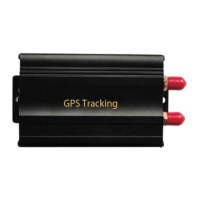
General overview of the tracker's purpose and capabilities.
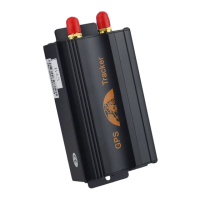
Details the physical ports and components of the GPS vehicle tracker.
Lists the names of accessories included with the GPS tracker.
Guides on how to correctly install the tracker unit in a vehicle.
Instructions for inserting and configuring the SIM card for operation.
Steps to properly turn on the tracker device after installation.
Resets the device to factory defaults and changes the default password.
Manages authorized numbers and configures various tracking modes.
Controls data logging and switches between track and monitor modes.
Sets up various alerts like SOS, geo-fence, movement, and overspeed alarms.
Manages arming, disarming, and remote controller functions for security.
Configures silent mode and checks the vehicle's current operational state.
Covers device resetting and IMEI number management for identification.
Sets device time and configures GPRS, APN, IP, and port for connectivity.
Configures the primary number for receiving alerts and tracking data.
 General
| GPS Accuracy | 5 m |
|---|---|
| Connectivity | GSM/GPRS |
| GSM Frequency | 850/900/1800/1900 MHz |
| GPS Sensitivity | -159 dBm |
| Storage Temperature | -40°C to +85°C |
| Humidity | 5% to 95% non-condensing |
| Battery Capacity | 800 mAh |
| Operating Temperature | -20°C to +55°C |

 To Next Page