Chapter 4: Advanced use
68 Get to know the web interface
IP address and DNS server address setup
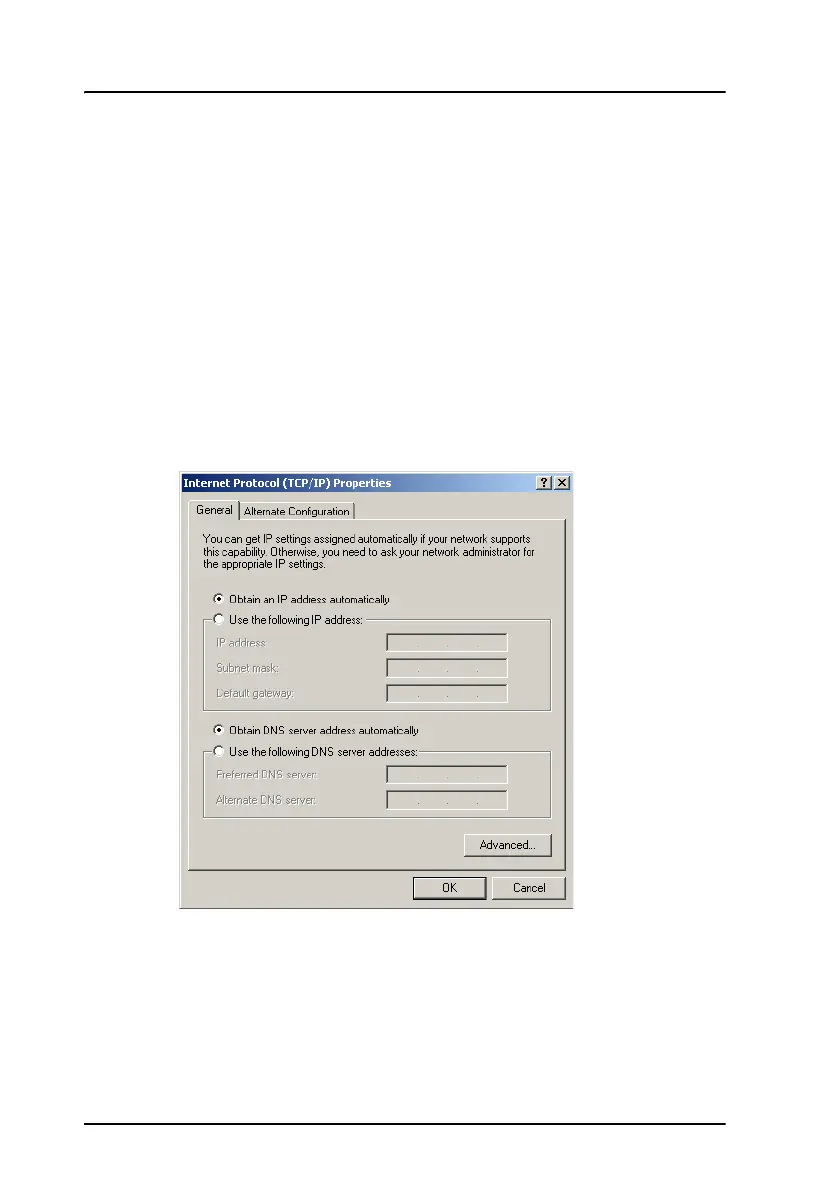
To check whether automatic IP address and DNS server address is obtained
automatically for your computer, do as follows (example for Windows XP):
1. Go to Start > Settings > Control Panel > Network Connections.
2. Right-click on the LAN connection you want to use.
3. Select Properties, highlight Internet Protocol (TCP/IP).
4. Click Properties.
5. Make sure that the following is selected:
- Obtain an IP address automatically
- Obtain DNS server address automatically
Allocating IP addresses and DNS server lookups are handled by the system.


 To Next Page
 Loading...
