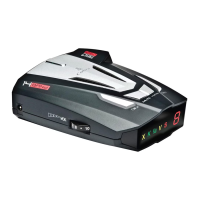
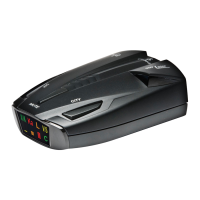
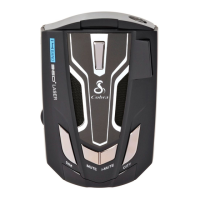
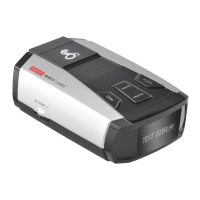
Nothing Comes Close to a Cobra
®
1
Contents
Introduction
Important Information ................................. A1
Controls, Indicators and Connections ..................... A2
Display ............................................. A3
Product Features
.................................... A3
Your Detector
Installation
........................................... 2
Getting Started ....................................... 5
Buttons ............................................. 5
SEN .............................................. 5
MUTE ............................................. 5
Quiet Drive ........................................ 6
Battery Voltage ..................................... 6
DIM .............................................. 6
Menu-User Settings .................................... 6
Menu-Alert Settings. . . . . . . . . . . . . . . . . . . . . . . . . . . . . . . . . . . . 7
Detail ............................................. 8
AutoMute. . . . . . . . . . . . . . . . . . . . . . . . . . . . . . . . . . . . . . . . . . 8
Language ......................................... 8
Screen Saver ........................................9
Smart Power ........................................9
Low Car Voltage .....................................9
System Info .........................................9
Restore Defaults .....................................9
Radar Alerts ..........................................10
Radar Detector-Detector Alerts .........................10
Laser Alerts ........................................10
Responding to Alerts & Firmware Update ................ 11
AURA
®
Location-Based Alerts ............................12
Downloading the App ...................................12
Cobra iRadar
®
App .....................................12
Pair/Connecting with Your Detector ........................13
iRadar Community .....................................14
Understanding Radar and Laser ......................... 15
Understanding LIDAR .................................. 16
Customer Information
Specications ...................................... 17
Maintenance
........................................ 17
Limited 1-Year Warranty ............................... 18
Product Service & Optional Accessories .................. 19
FCC Statement & Trademark Acknowledgement
..............20
Introduction
Intro Operation Customer
Assistance
Warranty
Notice
Main Icons
Secondary Icons
Intro Operation Customer
Assistance
Warranty
Notice
Main Icons
Secondary Icons
iRAD_MANL_vB.indd 1 8/24/16 10:05 AM


 To Next Page