Charging your earbuds
11
2
EN 02
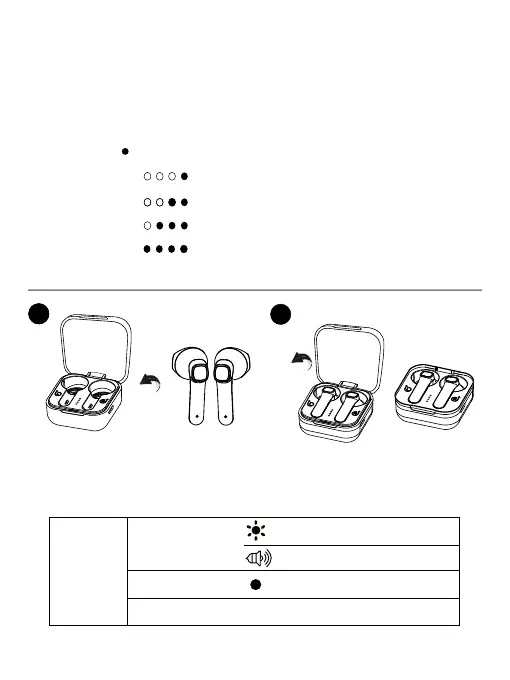
Notes: To check the charging case’s remaining battery power,
take
the earbuds out of the charging case, then place the earbuds back in
the charging case.
If there is remaining battery power, the case power
indicator will glow blue and indicate the power level. If the case battery
power level is low, it will flash red.
( - Blue light)
Case power indicator
Power level
0~25%
25%~50%
50%~75%
75%~100%
When your earbuds battery is low, the earbuds status indicator will slowly
flash red (with a tone notication). Open the lid of the charging case, then
place the earbuds
into the charging case and close the lid to start charging.
Earbuds
Tone notication
Steady red
Slowly flashing red
Off, LED light is off
Low battery
Charging
Fully charged


 To Next Page