Troubleshooting
Problem Solution
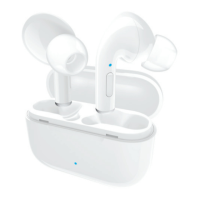
Your earbuds aren’t
connecting to each
other. The Earbud LED
Indicators on both
earbuds are alternat-
ing between red and
blue lights.
First, reset the earbuds by taking out the
earbuds from the charging base and then
placing them back to check whether they
are connected to each other. If they are not,
open Bluetooth settings in your device and
tap “Forget device” on “CETW527”, then turn
off Bluetooth in your device to manually ini-
tiate the True Wire stereo connection. Please
allow up to 30 seconds to connect if you are
in a public area with interfering signals.
Your earbuds are
connected to each
other, but you cannot
connect to your
device (phone, laptop,
tablet etc.)
Ensure the earbuds are not currently con-
nected to another device. If they are, open
Bluetooth settings on those devices and tap
“Forget device” on “CETW527”. Conrm the
device you would like to pair with is Blue-
tooth enabled, please refer to that device’s
user manual to conrm.
There is no response
in the CETW527
earbuds.
Firstly, check whether the battery power in
earbuds are used up, if they are, charge the
earbuds. If they are not, reset the earbuds
by taking out the earbuds from the charging
base and then placing them back.
You can only hear
sound on one earbud.
Reset the earbuds by taking out the
earbuds from the charging base and then
placing them back.
EN 06 EN 07


 To Next Page