EN 5
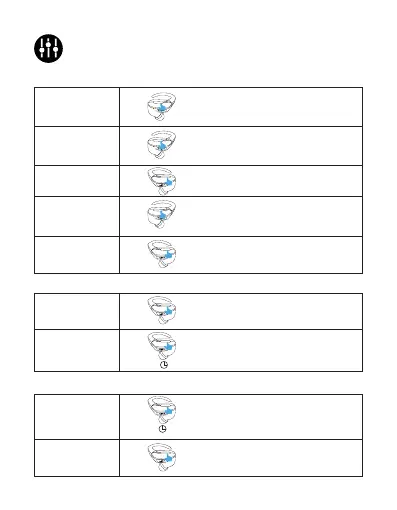
Controls
Phone call mode
Music mode
Voice Assistant mode
Press the MFB three times on
the right earbud.
Press the MFB twice on either
earbud.
Press and hold the MFB for 1.5-2
second on either earbud.
Press and hold the MFB for 2
seconds on either earbud.
Press the MFB once on either
earbud.
Press the MFB once on either
earbud.
Press the MFB twice on the left
earbud.
Press the MFB twice on the right
earbud.
Press the MFB three times on
the left earbud.
Volume down
Answer/End
a call
Reject
a call
Exit
Activiate Siri
/other voice
assistant
Volume up
Play/Pause
Next track
Previous track
L
L
R
R
X1
X1
X2
X2
X2
1.5-2’’
2’’
X3
X3



 To Next Page