EasyManua.ls Logo

Coby CETW571 - User Manual

Coby CETW571
24 pages
Print Icon
To Next Page IconTo Next Page
Loading...
User Manual Manual de usuario
CETW571
EN
ES
...
...
01
12

Questions and Answers

  • S
    Scott GreenAug 6, 2025
    What to do if my Coby Wireless Headphones are connected to each other, but won't connect to my device?
    • J
      justin74Aug 6, 2025
      If your Coby Wireless Headphones are connected to each other, but you can't connect to your phone, laptop, or tablet, first make sure the earbuds aren't connected to another device. If they are, go to the Bluetooth settings on those devices and select “Forget device” on “CETW571”. Also, be sure that the device you want to pair with has Bluetooth enabled. Check that device’s user manual to confirm.
  • C
    christian29Aug 15, 2025
    How to connect Coby CETW571 earbuds to each other?
    • J
      Jennifer TateAug 15, 2025
      If your Coby Wireless Headphones earbuds aren’t connecting to each other and the Earbud LED Indicators on both earbuds are alternating between red and blue lights, double press the Multi-Function Button on either earbud to manually start the true wireless stereo connection. If you are in a public area with interfering signals, allow up to 30 seconds to connect.
  • M
    Michelle MillerAug 26, 2025
    Why are my Coby Wireless Headphones not responding?
    • M
      Matthew CannonAug 26, 2025
      If there is no response on your Coby CETW571 Wireless Headphones, it could be that the batteries in the earbuds are depleted. Charge the earbuds. Alternatively, try resetting the earbuds by pressing and holding the Multi-Function Button for about 8 seconds.

Summary

Overview

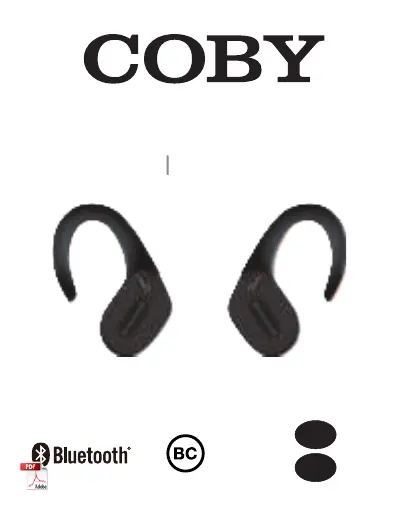
CETW571 True Wireless Stereo Earbuds

Product overview for the CETW571 true wireless stereo earbuds.

Charging

Powering On;Off

Powering On

Instructions for turning the earbuds on.

Powering Off

Instructions for turning the earbuds off.

Pairing

True Wireless Stereo Connection

Details on establishing a true wireless stereo connection between earbuds.

Bluetooth Connection with Device

Guide to connecting the earbuds to a media device via Bluetooth.

Controls

Music Mode Controls

Operations for music playback and control.

Phone Call Mode Controls

Operations for managing phone calls.

Voice Assistant Mode Controls

Operations for activating voice assistants.

Troubleshooting

Specifications

Safety Precautions

Hearing Safety

FCC Statement

Notice

Disclaimer

Customer Service

Coby CETW571 Specifications

General IconGeneral
BrandCoby
ModelCETW571
Wireless TechnologyBluetooth
Driver Size40mm
Frequency Response20Hz - 20kHz
Impedance32 ohms
FoldableYes
Built-in MicrophoneYes
Form FactorOver-Ear
Range33 ft (10 m)
CompatibilityBluetooth-enabled devices

Related product manuals