User Manual
Buttons and Parts
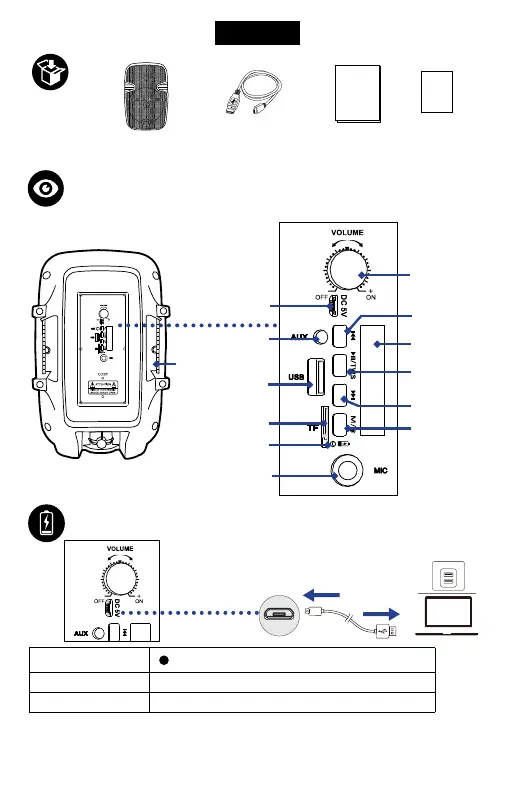
Charging
Rear Control Panel
Note: When the battery power level is low, the RGB light may not work, and
the volume will turn lower, indicating that it requires charging. When the
speaker's battery power gets used up, it will automatically power off.
Play/Pause,
TWS pairing
button
Mode/RGB
Light button
Charging LED
indicator
Micro USB
charging port
Micro USB
charging port
USB power
source
Power
/Volume
button
USB Port
TF Card Slot
1 x User
Manual
1 x Micro USB
Cable
1 x Drop
Card
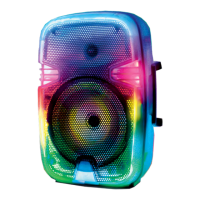
1 x True Wireless
Party Speaker
AUX-IN
Port
Mic In
Port
Handle
Previous track
button
Display screen
Next track
button
Steady red (Charging LED indicator)
Charging
Fully charged
Charging time
O (Charging LED indicator)
5 hours
English
EN 01


 To Next Page