Fit terfate inVro3ucijon
Computer communications interface tan be divide dinto two part*, Hu
Je
ft
part
shows management space jor coinputerfiles and the right
part
is!
formula
gmgRECORDER f rl* s
!
A.
Mwiging
computerfiles mtlxe leftpartof die interface
1
) DIREC TORY File mm*ge melit
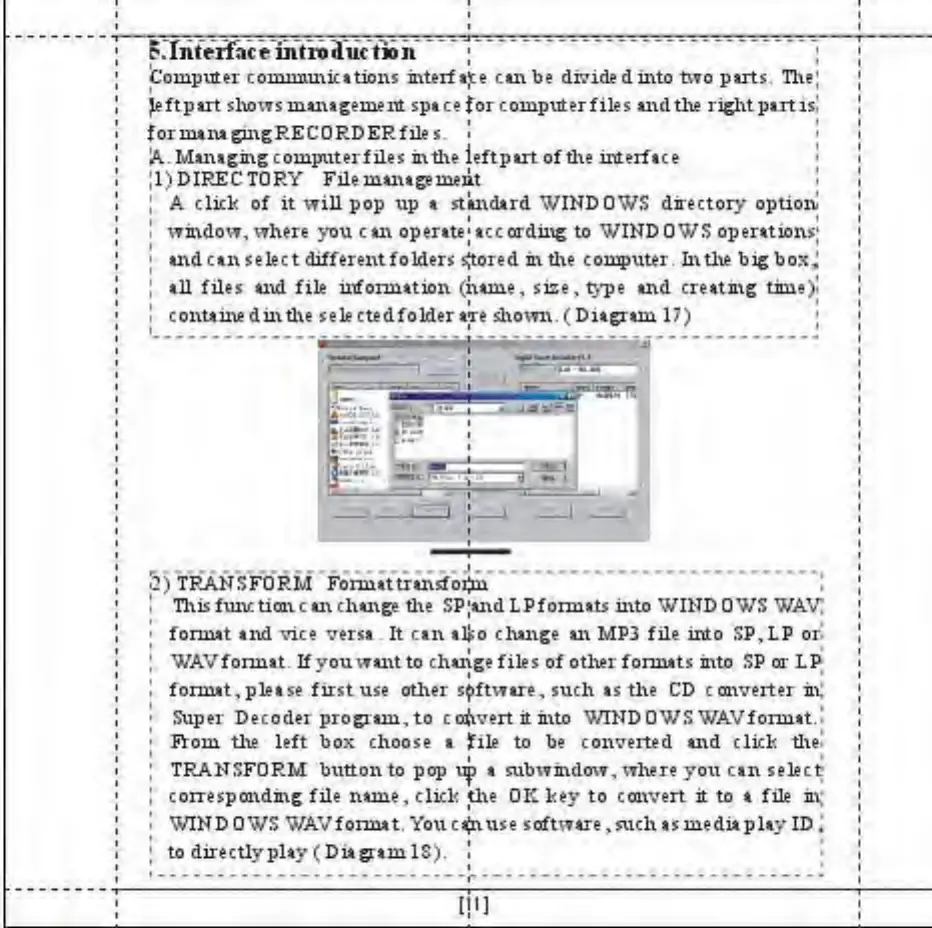
A dick of it will pop up a standard WINDOWS dire c ton* option
window, where you can operate* according to WINDOWS operations^
and can select different folders Stored m d\e computer In the big bos,
til files and file information (name, size, type and creating Ume)<
containedmdie sele ctedfolder aTe 4omi.( Diagram 17)
0) TRANSFORM Format transform
I This function can change die SP;andLPfonnats into WINDOWS WAV;
*
format and vice versa * It can alio
change
an MPS file into SP,LP or
J
WAVformat
If you
want
to change files of other
formats
into SP or LP
*
format, please first use other software, such as the CD converter tit
;
Super Decoder program, to coftvertitmto WINDOWSWAVfonnat^
>
FVom the left box choose a tile to be converted and circle the-
J
TRANSFORM button to pop
yjp
a subwindow, where yoxi can select
I
corresponding file name, click the OK key to convert it to a file in;
'
WINDOWS WAVfonnat,
Yoxicajnuse
software , such as mediaplay ID
;
;
to directlyplay ( Diagram IS). !



 To Next Page