3. Connection
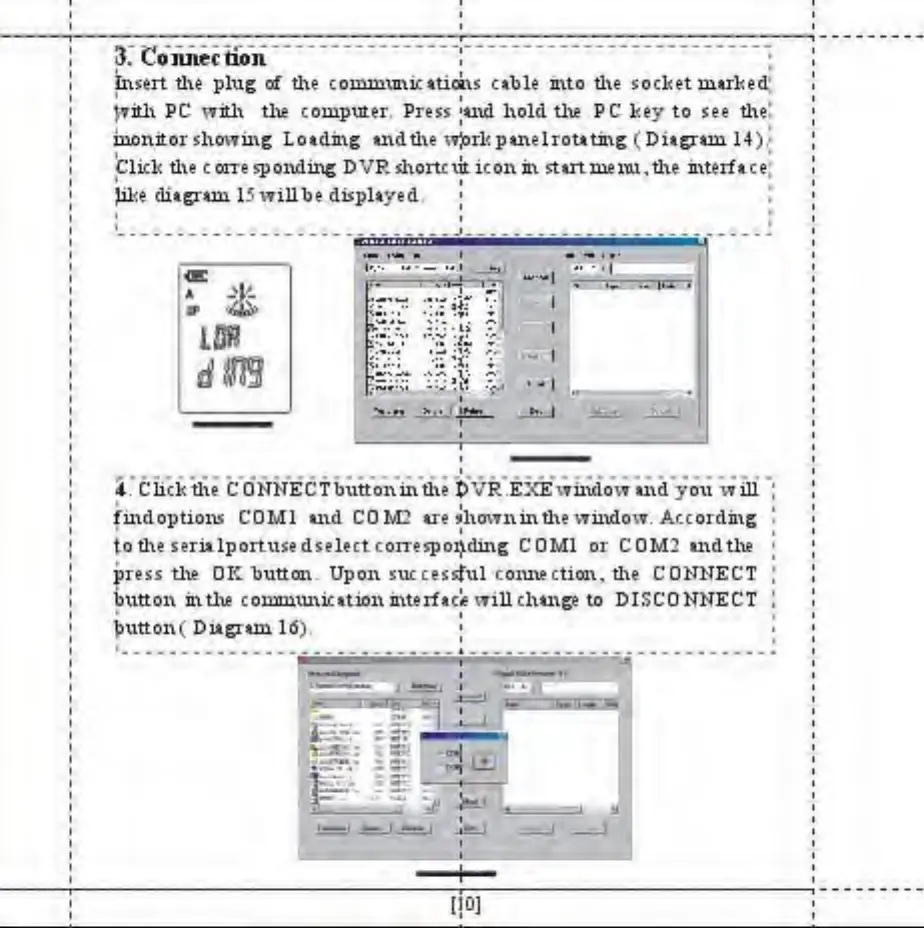
Insert the plug of the coimuunic*ticats cable into the socket limited
ivith PC with the computer. Pre** **nd hold the PC key to see the
iuoiutor showing Lo*dmg and the w^rkpinelrouting ( Ditgrun 14).
Click the corresponding DVR shortcut icon in stut menu* the interface
Jike diagram 15 willbe displayed.
1
•* -i *>»-* *
SKV S5I
^
*i—- ii* ;
3b.
4+ Click die CONNECTbuttoninthe &VR.EXEwindow and you will
findoption* CD Ml and COM2 are showninthe window. According
to tl\e serialportusedselect corresponding C0M1 or COM? and the
press the OK buUcav Upon successful coimection, the CONNECT
button in the communication interfacie will change to DISCONNECT
button ( Diagram 16).
— —
V-
!'
:
't



 To Next Page