www.cobyusa.com Page 29
English
Disconnecting from a Computer
To avoid data loss or le/rmware corruption, discon-
nect the player as instructed below or as by your specic
operating system.
Microsoft Windows
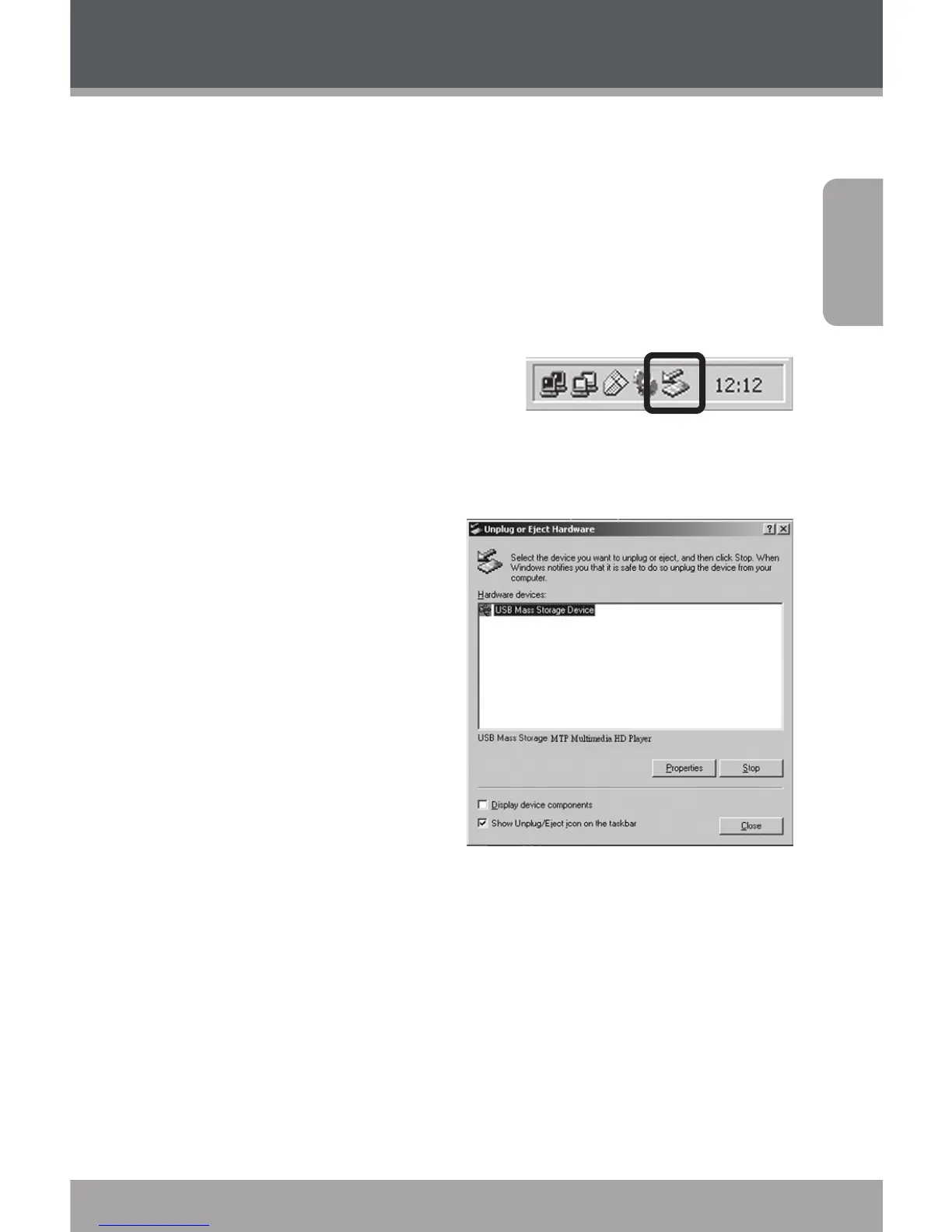
1. Double-click the green
arrow in the taskbar
located on the lower-
right side of the computer screen (Safely Remove
Hardware).
2. Safely Remove
Hardware:
Select “USB Mass
Storage Device” from
the list that appears
and then click on
“Stop”.
Stop a Hardware
Device: Select
“USB Mass Storage
Device” from the list that appears and then click
on “OK”.
3. When the “Safe to Remove Hardware” window
appears, click the OK button and disconnect the
USB cable from the player and your computer.
Transferring Files to the Player



 To Next Page