Page 27 Coby Media Manager
English
Installing Coby Media Manager (Mac OS X)
To install Coby Media Manager (CMM) on a computer running the Macinstosh OS X operating system:
Connect the player to a computer with the USB cable provided. 1.
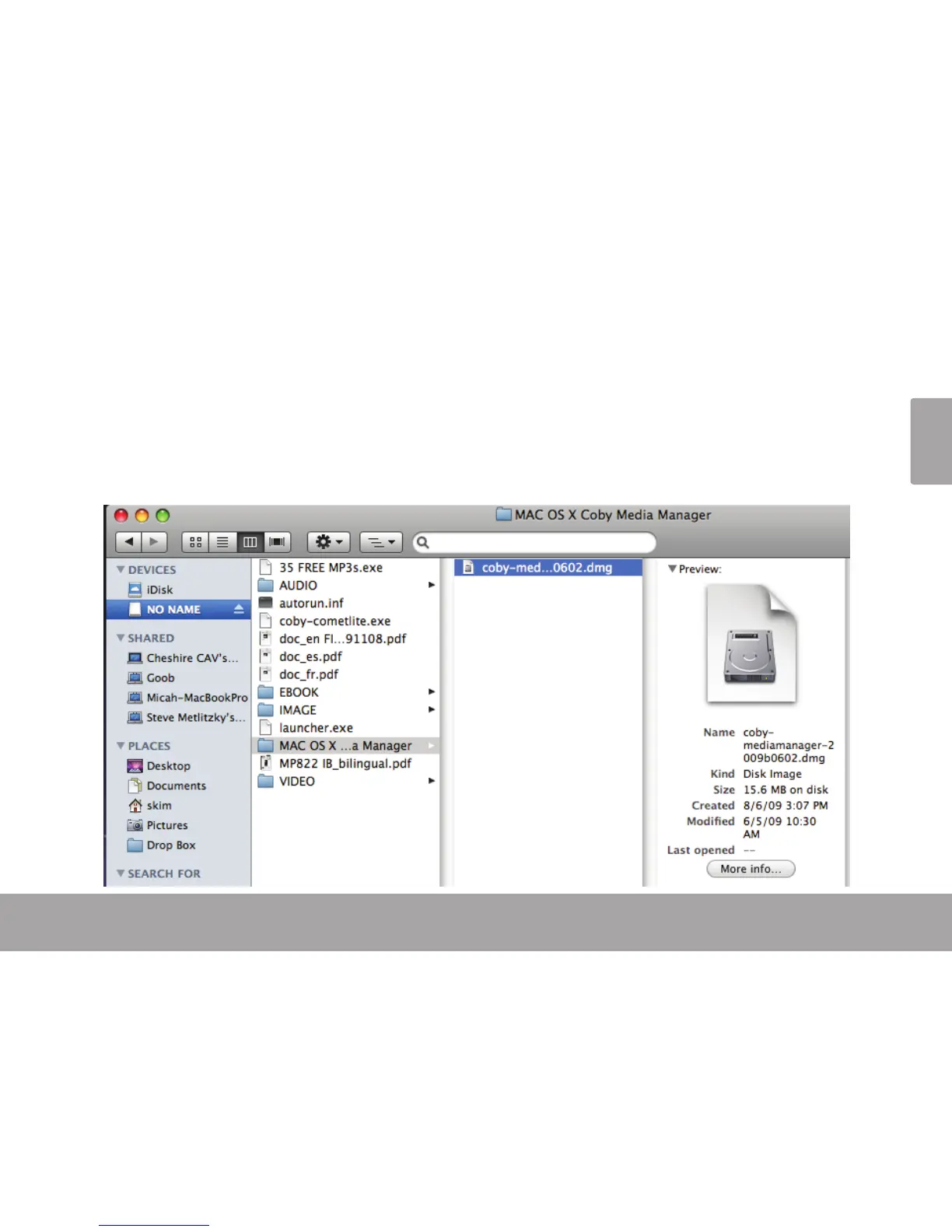
Open a nder window. Click on the ‘Removable Disk” icon located on the left side of the nder window. 2.
The computer will display all les and folders currently stored in the player.


 To Next Page