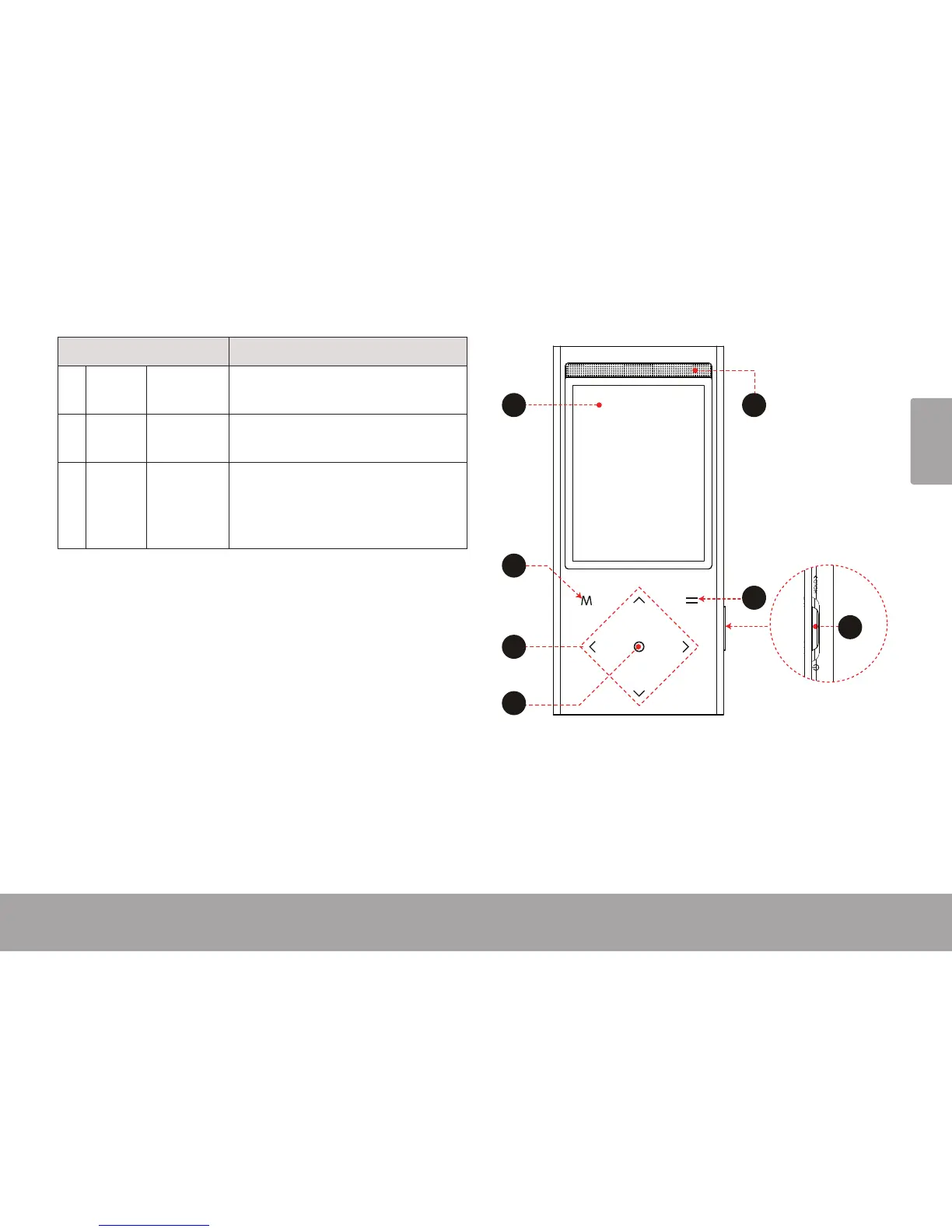
Page 5 Unit At A Glance
English
Name Description
5 Enter
Key
<OK> Enter a selected item in a list.
During playback: play/pause.
6 Option
Key
<OPTION> Access options menu, if available.
7 Power/
Hold
Switch
<Power/
Hold>
Slide and hold the switch down to
turn the player on or o.
Slide and lock the switch up to disable
the controls.


 To Next Page