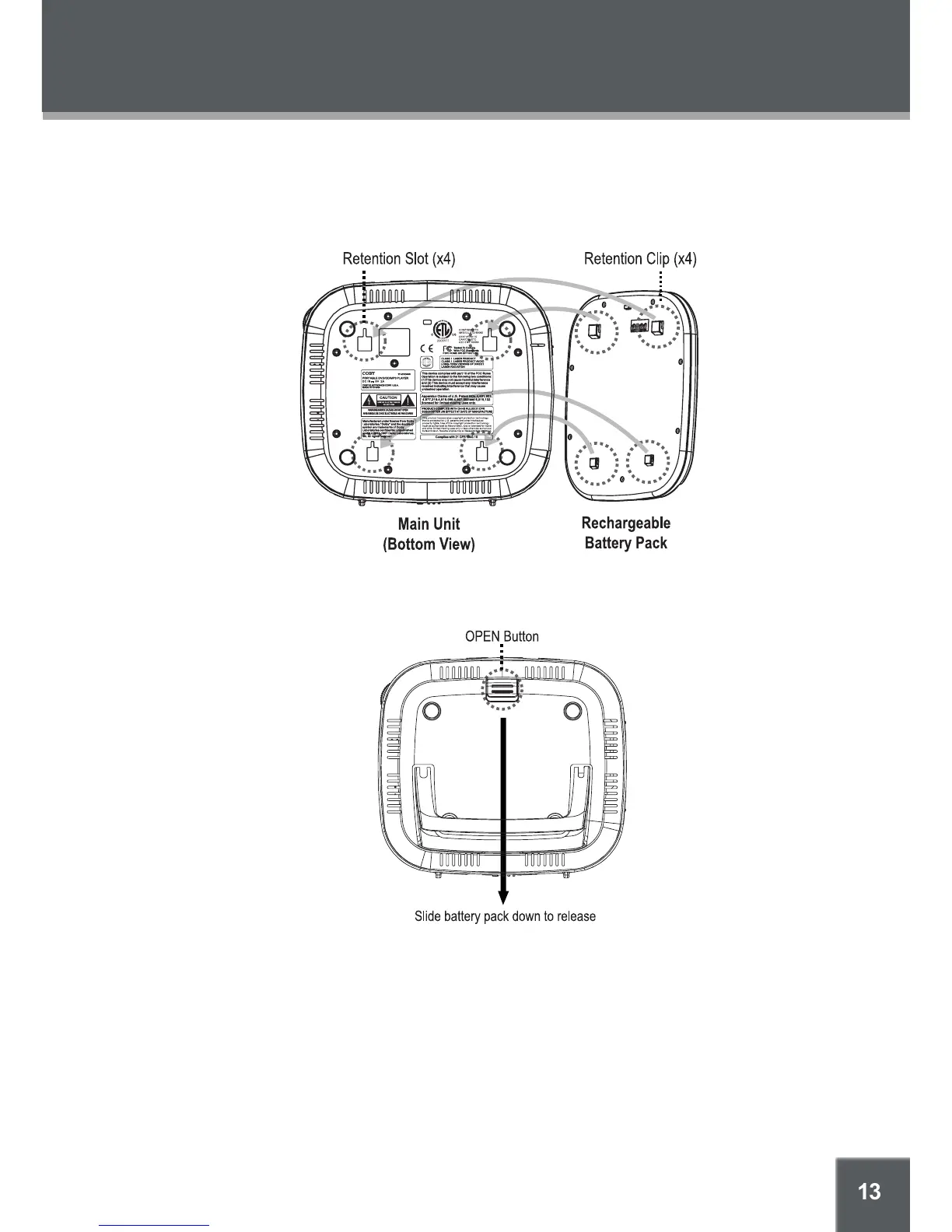
To install the battery pack:
Match and insert the Retention Clips on the battery pack to the Retention Slots on the
bottom of the player.
Press and slide the battery pack up and into place (the retention clips will click).
To release the battery, press the “OPEN” battery release button and slide the battery pack
down and out.
To charge the battery pack:
Install the battery in the manner described above.
Connect the player’s DC 9V Power In jack to an AC power source with the AC/DC adapter
as described previously. (The Battery Charge indicator will light red while it is charging; it will
light green when the battery is fully charged.)
When the battery charge level is low, the unit will enter STANDBY mode automatically.
It is important to charge the battery fully (minimum 4 hours) before it’s initial use.
1.
2.
3.
1.
2.
GETTING STARTED



 To Next Page