Need help?
Do you have a question about the Coby TF-DVD7380 and is the answer not in the manual?
Warnings and precautions related to electric shock risks, including not opening the unit and proper plug insertion.
Warnings about preventing fire/shock by avoiding moisture, and health warnings regarding cord handling.
Precautions against direct laser beam exposure and defeating safety interlocks.
Safety regarding water exposure, power sources, grounding, and cord protection.
Lists supported disc types, formats, sizes, and playback times.
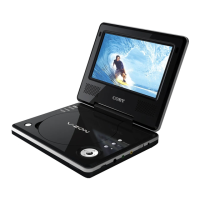
Identifies and describes the controls on the main portable DVD player unit.
Identifies and describes the controls on the remote control unit.
Details the AV jacks for inputting and outputting audio/video signals.
Explains the optical audio connection for 5.1-channel surround sound.
Information on using the AC power adapter for the player.
Instructions for installing and charging the rechargeable battery pack.
Provides contact details for COBY Electronics Technical Support.
Addresses problems with power, playback, picture, and sound.
Solutions for remote control issues and player reset procedures.
 General
| Brand | Coby |
|---|---|
| Model | TF-DVD7380 |
| Category | Portable DVD Player |
| Language | English |


 To Next Page