DVD/DISC FUNCTIONS
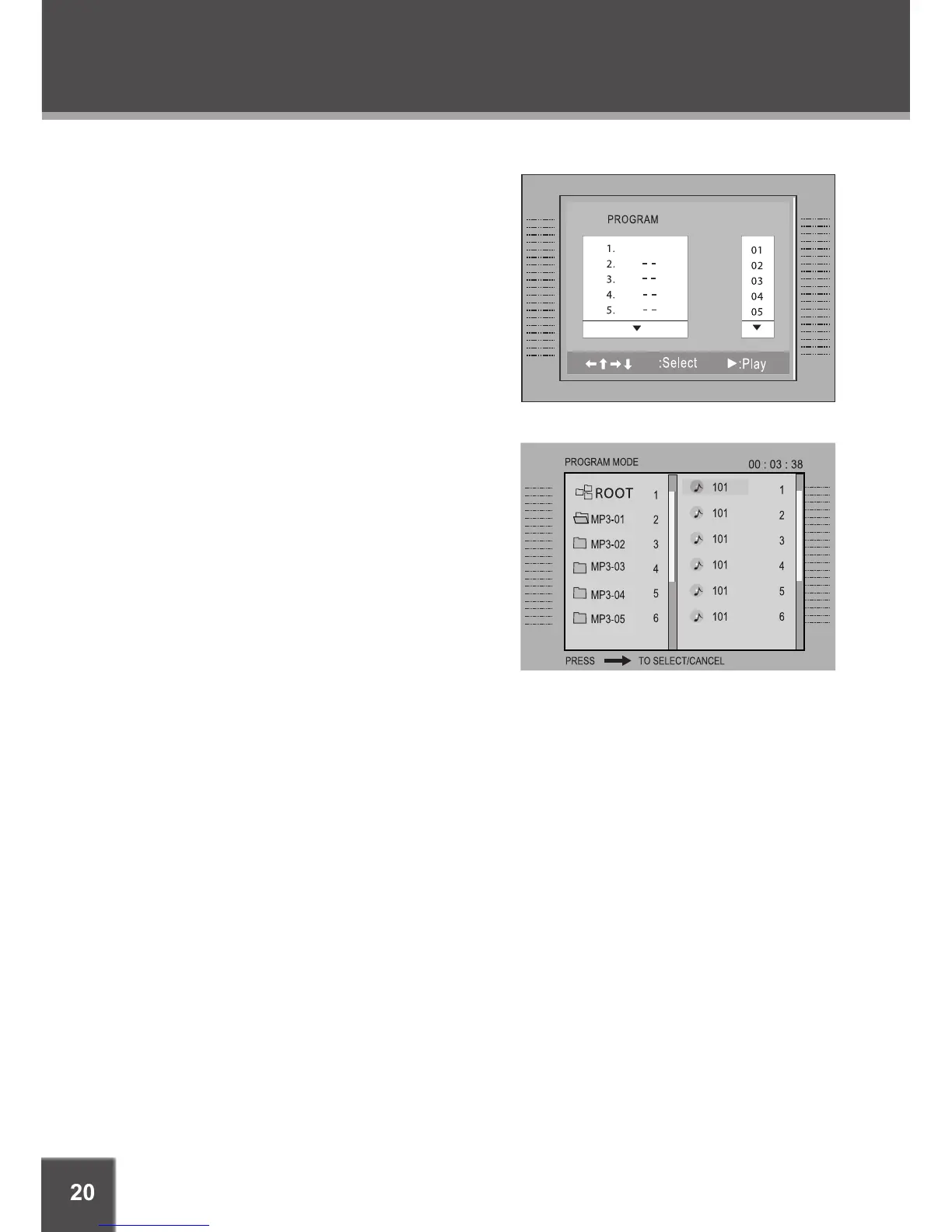
CD Program Mode
Load a CD and press PROGRAM.
Press the RIGHT navigation key to select the
“Track” column; press the UP/DOWN naviga-
tion keys to select a track.
Press ENTER to conrm the selection.
Repeat steps 2-3 until you have nished pro-
gramming your selections or when you have
programmed the maximum 20 tracks.
Press PLAY to start playback. Press PRO-
GRAM to cancel.
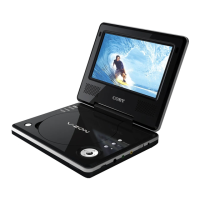
MP3 Program Mode
Load an MP3-CD and press PROGRAM.
Use the navigation keys to select the desired le.
To navigate through subfolders: press the
LEFT/RIGHT navigation keys to enter/exit
a folder.
Press RIGHT to conrm. The conrmed le will
be marked as a programmed le.
Repeat steps 2-3 until you have nished pro-
gramming your selections or when you have
programmed the maximum 20 tracks.
Press ENTER to conrm the selection.
Press PLAY to start playback. Press PROGRAM to cancel.
1.
2.
3.
4.
5.
1.
2.
•
3.
4.
5.
6.



 To Next Page