DISC FUNCTIONS
Repeat steps 2-4 until you have nished programming your selections or when you have
programmed the maximum 20 tracks.
Press PLAY to start playback. Press PROGRAM to cancel.
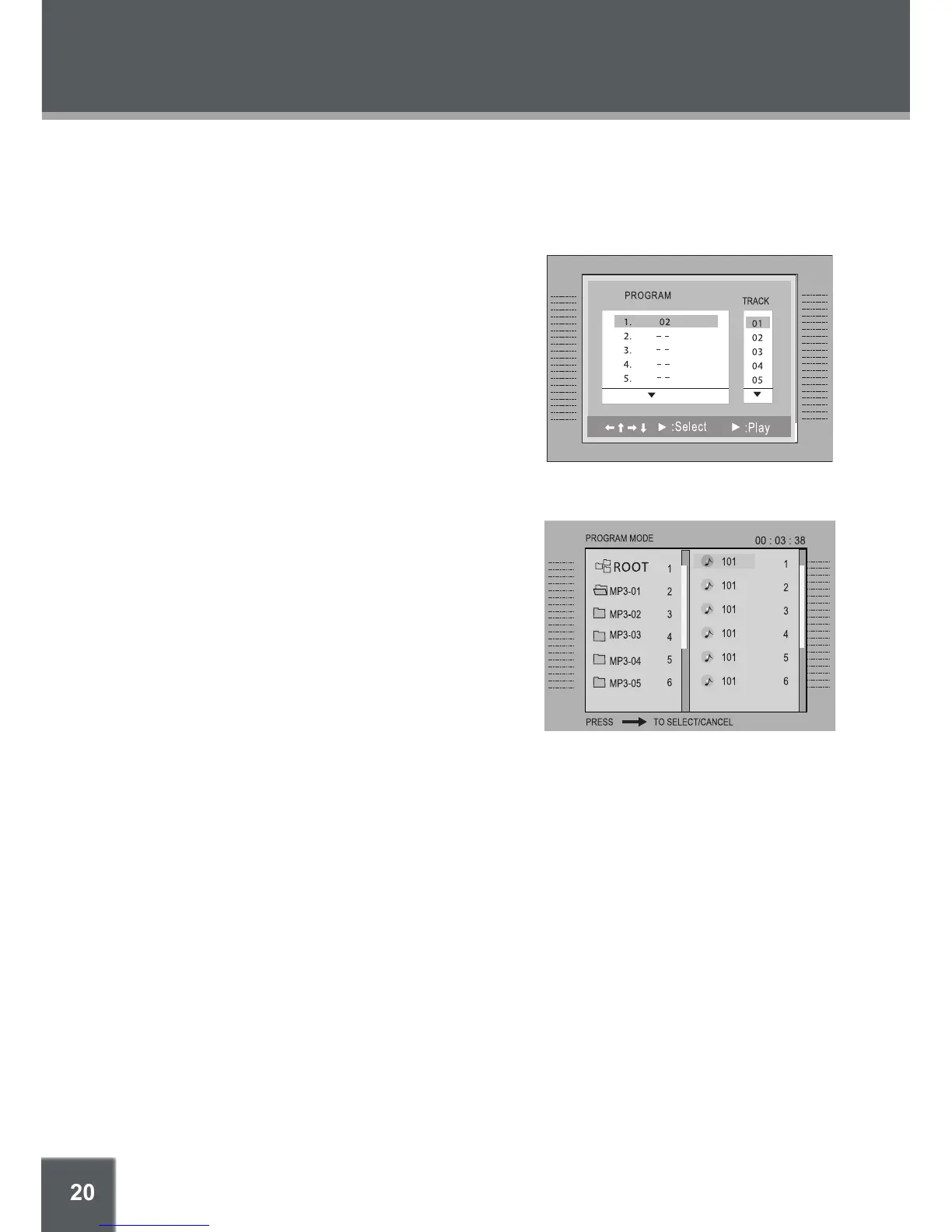
CD Program Mode
Load a CD and press PROGRAM.
Press the RIGHT navigation key to select the
“Track” column; press the UP/DOWN navigation
keys to select a track.
Press ENTER to conrm the selection.
Repeat steps 2-3 until you have nished pro-
gramming your selections or when you have pro-
grammed the maximum 20 tracks.
Press PLAY to start playback. Press PROGRAM
to cancel.
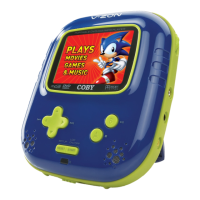
MP3 Program Mode
Load an MP3-CD and press PROGRAM.
Use the navigation keys to select the desired le.
To navigate through subfolders: press the
LEFT/RIGHT navigation keys to enter/exit a
folder.
Press RIGHT to conrm. The conrmed le will be
marked as a programmed le.
Repeat steps 2-3 until you have nished pro-
gramming your selections or when you have pro-
grammed the maximum 20 tracks.
Press ENTER to conrm the selection.
Press PLAY to start playback. Press PROGRAM to cancel.
5.
6.
1.
2.
3.
4.
5.
1.
2.
•
3.
4.
5.
6.



 To Next Page