CONNECTIONS
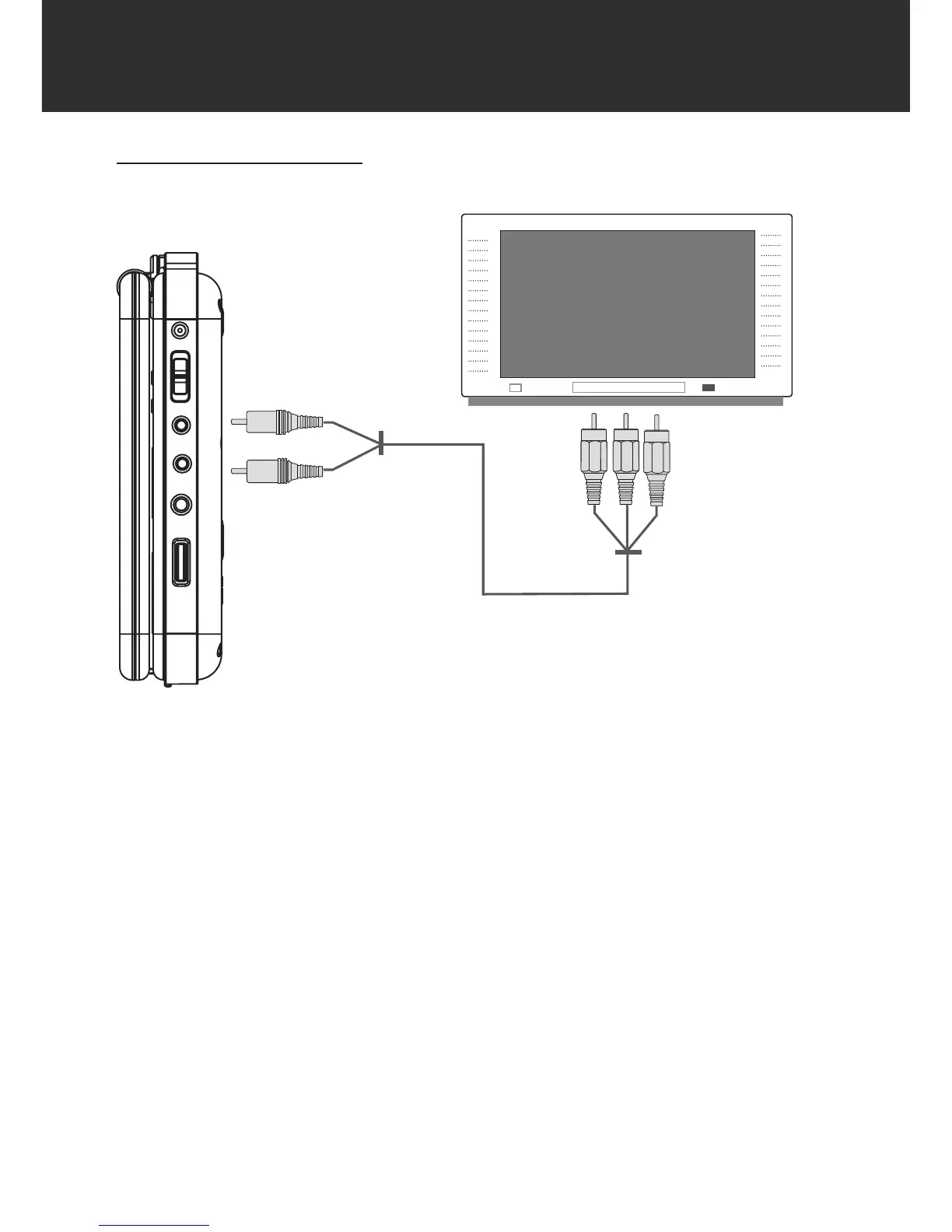
Audio/Video (AV) Connections
AV OUT
Set the AV Switch to the AV OUT position.
Connect the player to a TV with the supplied AV Cable (RCA).
Press the AV mode button on your TV to display your player’s output signal on the screen.
AV IN
Set the AV Switch to the AV IN position.
Connect the player to an external audio/video device (eg, TV, Video Game, Portable Media
Player, etc).
NOTE:
Refer to your TVs instruction manual for more information on setting it to the proper AV
mode.
Be sure to turn off and unplug your player and TV before making these connections.
1.
2.
3.
1.
2.
•
•



 To Next Page