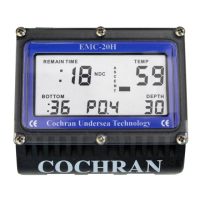
at the top of the display is Contact 3. Contacts are used to:
• Turn the unit on by sensing wetted Contacts 1 & 2;
• Enter Logbook Mode by sensing wetted Contacts 1 & 2;
• Enter Programming Mode by sensing shorted Contacts 1 & 2;
• Step through Programming functions by sensing shorted Contacts 1 & 2;
• Increment Programmable options by sensing shorted Contacts 2 & 3;
• Determine water conductivity when in a dive via Contacts 1 & 2 & 3;
• Communicate with the Analyst
®
PC Interface via Contacts 1 & 2 & 3.
It is important that the Contacts be kept clean and dry when the computer is not in use.
Do not use solvents. Use only clean, fresh water.
TURNING ON THE COMMANDER+: Although the COMMANDER+ automatically turns
on when it is submerged in water, it is STRONGLY recommended that the unit be
manually powered up by wetting two fingers and simultaneously touching Contacts 1
and 2 just prior to a dive. This allows the diver to ensure that the unit is operating
correctly and has adequate battery capacity prior to entry. Once activated, the unit will
remain on for 15 minutes. If a dive is not initiated within this 15 minutes, the
COMMANDER+ automatically shuts off. Notice that when Contacts 1 & 2 are first
bridged, a short beep is issued which indicates that the unit is recognizing the touch.
Every time the Contacts 1 & 2 are touched and the short beep is heard, the "on" time is
again extended to 15 minutes.
13
It is recommended that this procedure be followed prior to a dive since this prevents the
unit from "timing out" just as the diver is entering the water. The COMMANDER+ will
not turn on if the altitude is greater than 4.5 km or if the depth is greater than one metre.
Also, the battery voltage must be above 2.3 volts for the unit to turn on.



 To Next Page