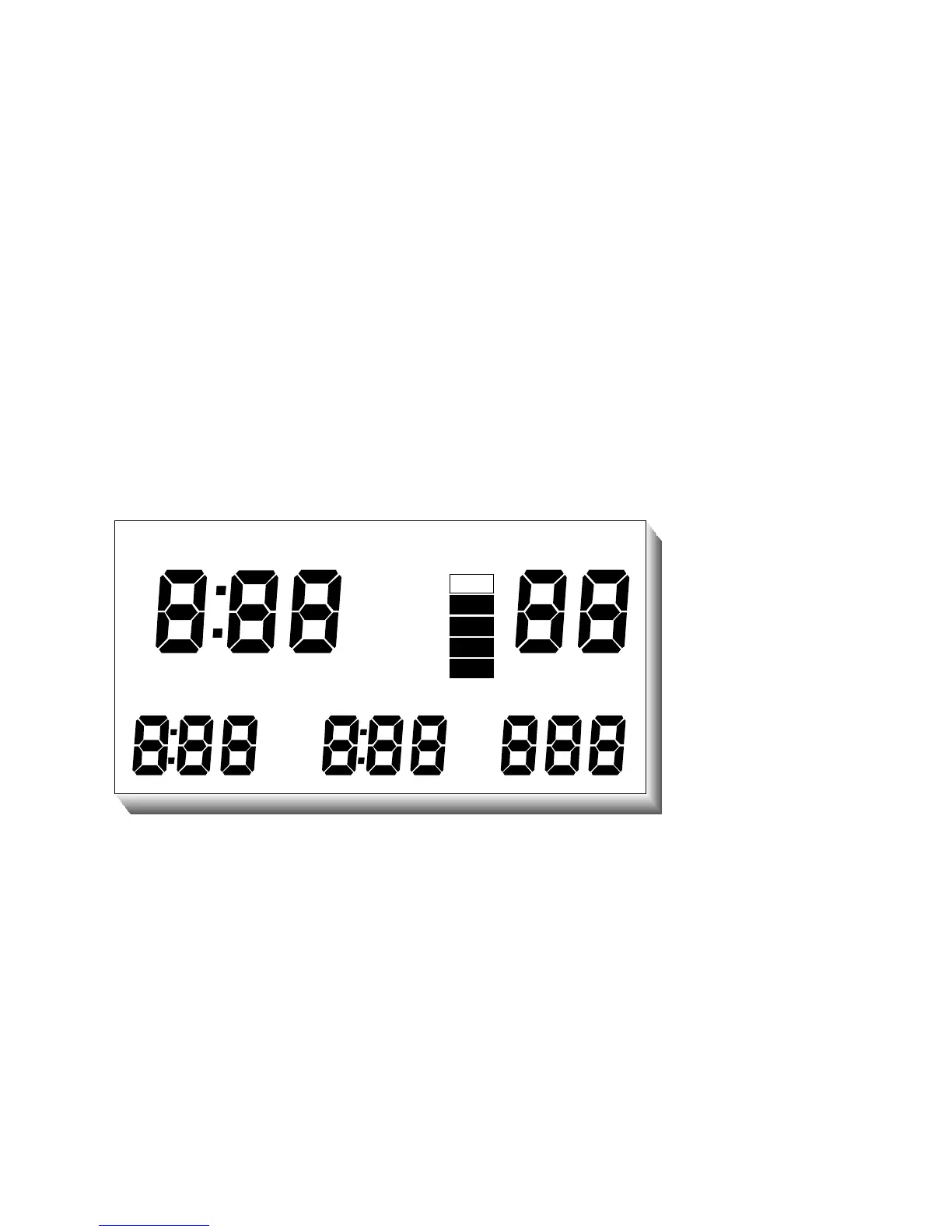
As the COMMANDER+ first recognizes a turn-on command, it begins a “Diagnostic”
function where many aspects of the system will be exercised and tested. This
procedure takes about three seconds and an audible beep is issued each second as
certain tests are successfully completed. During this time, all of the segments in the
display are turned on so their operability can be confirmed. Should a test indicate a
malfunction or marginal test, the unit will turn back off again. The user should ensure
that all of the display segments are on and operating correctly.
D
I
V
E
BATT METRIC
NDC
DEC
A
S
C
T
N
E
DEPTHMAXBOTTOM
CEILTEMP
WARNING
REMAIN TIME FLY
SURF DEPTH
. .
Figure 1
SELF D IAG NO STICDISPLAY
AllSe g m e nts 1llum inated
14
TURNING OFF THE COMMANDER+: After a dive, the COMMANDER+ remains on for
40 minutes before automatically entering its "Sleep Mode". During the Sleep Mode, all
calculations continue but the display is off. This is a power saving feature of the
COMMANDER+. The unit will continue calculating Surface Interval and compartment



 To Next Page