1
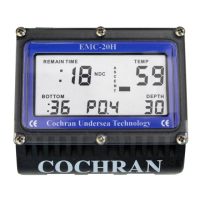
PRODUCT INTRODUCTION: The EMC-20H is quite simple to use and
operate, but underneath that simplicity lies a significant level of
sophistication. To get the safest and most effective use of this
instrument, it is important that the user fully understand the product.
Please read and understand this entire manual and know the principles
and practices of safe diving before using this device.
This Manual is divided into the following Sections:
Section Page
• Operation as an Air-only Dive Computer 1
• Alarm Clock Operation 3
• Touch Programming 4
• Warnings 6
• Configurable Items 7
• Specifications and Maintenance 8
• Liability, and Warranty 9
• Itemized Index and Subjects 11
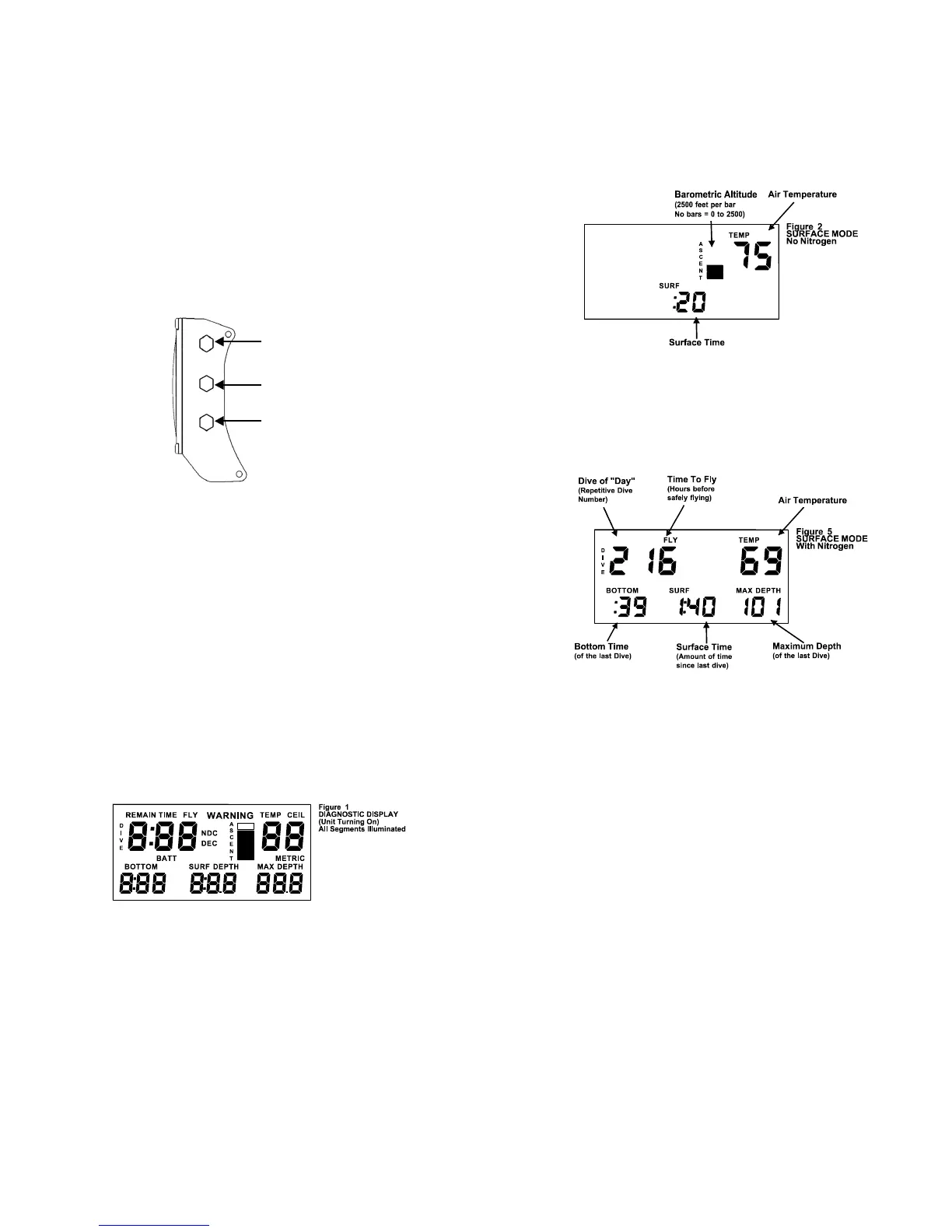
SIDE CONTACTS:
CONTACT #2
CONTACT #1
CONTACT #3
The Contacts are used to let the user command the unit to do a number
of functions, communicate with a PC for extracting information or
configuring the unit, and determining water conductivity. When Contacts
1 & 2 are shorted, the EMC-20H can detect the difference between wet
fingers, metal objects, fresh water, salt water, and a PC interface probe.
TURNING ON THE EMC-20H: Although the EMC-20H automatically
turns on when it is submerged in water, it is STRONGLY recommended
that wetting two fingers and simultaneously touching Contacts 1 and 2 for
two seconds manually power the unit up. This allows the diver to ensure
that the unit is operating correctly and has adequate battery capacity prior
to entry. Once activated, the unit will remain on for 60 minutes. If a dive
is not initiated within this 60 minutes, the EMC-20H automatically shuts
off. Notice that when Contacts 1 & 2 are first bridged, a short beep is
issued which indicates that the unit is recognizing the touch. Every time
Contacts 1 & 2 are bridged with wet fingers, the unit will stay on for one
full hour.
The EMC-20H will not turn on if the altitude is higher than 16,000 feet, the
batteries are less than 1.6 volts, or a fault is detected during the self-test.
As the EMC-20H first recognizes a turn-on command, it begins a
“Diagnostic” function where many aspects of the system will be exercised
and tested. This procedure takes about three seconds and an audible
beep is issued each second as certain tests are successfully completed.
During this time, all of the segments in the display are turned on so that
the user can confirm their operability. Should a test indicate a
malfunction or marginal test, the unit will turn back off again. The user
should ensure that all of the display segments are on and operating
correctly.
TURNING OFF THE EMC-20H: After the Post Dive Interval following a
dive, the EMC-20H will remain on for one hour before automatically
entering its "Sleep Mode". During the Sleep Mode, all calculations
continue, but the display is off. This is a power saving feature of the
EMC-20H. The unit will continue calculating Surface Interval,
compartment off gassing as required, and any changes in altitude as it
affects Nitrogen Loading. The current Surface Interval and PreDive
Predictions can be viewed by reactivating the unit.
MAIN EMC-20H OPERATING MODES:
• Surface Interval (No Nitrogen Residual)
• Surface Interval (With Nitrogen Residual)
• Dive Mode (Normal No Deco)
• Decompression Mode
• Post Dive Interval
• Touch Programming
SURFACE INTERVAL:
After completion of the Self-Diagnostic mode or after the Post Dive
Interval following a dive, the EMC-20H enters the Surface Interval. The
Screen displays, if applicable; current Surface Time, the previous dive’s
Maximum Depth, the previous dive’s Bottom Time, Dive of Day number,
current Time to Fly, Altitude and Temperature. Figure 2 shows the
display with no residual Nitrogen (a clean Dive).
Figure 5 shows the display with residual Nitrogen (a repetitive dive).
“Surface Time” starts at zero after a dive and begins counting minutes. If
the computer shuts off and is turned on with Nitrogen residual left, the
Surface Time continues to count. If the computer shuts off and is
turned on with no Nitrogen residual left, the Surface Time will be zero.
“Dive of Day” starts at zero and increments after each dive regardless of
the calendar day. When there is no remaining Nitrogen residual, the Dive
of Day is set to zero and the computer is referred to as a “clean” system.
“Time to Fly” is displayed as the number of hours remaining until the
Nitrogen residual reaches zero plus a twelve-hour safety factor. Flying is
not recommended until Time to Fly reaches zero.
“Barometric Altitude” is indicated in six ranges via the Ascent Rate Bar
Graph as follows (Altitude compensation is seamless up to 16,000 feet
above sea level):
0 Bars sea level to 2,500 feet
1 Bar 2,500 to 5,000 feet
2 Bars 5,000 to 7,500 feet
3 Bars 7,500 to 10,000 feet
4 Bars 10,000 to 12,500 feet
5 Bars 12,500 to 16,000 feet
The six ranges are for display purposes only: The EMC-20H actually
senses and computes extremely small altitude changes and hence, is
called “Seamless”. The term “Barometric Altitude” is used instead of just
“Altitude” because the EMC-20H measures Barometric Pressure to
determine Altitude. Barometric Altitude can vary from actual Altitude by
over +/- 1000 feet! What is important to the body when diving is
Barometric Altitude.


 To Next Page