22
Main menu
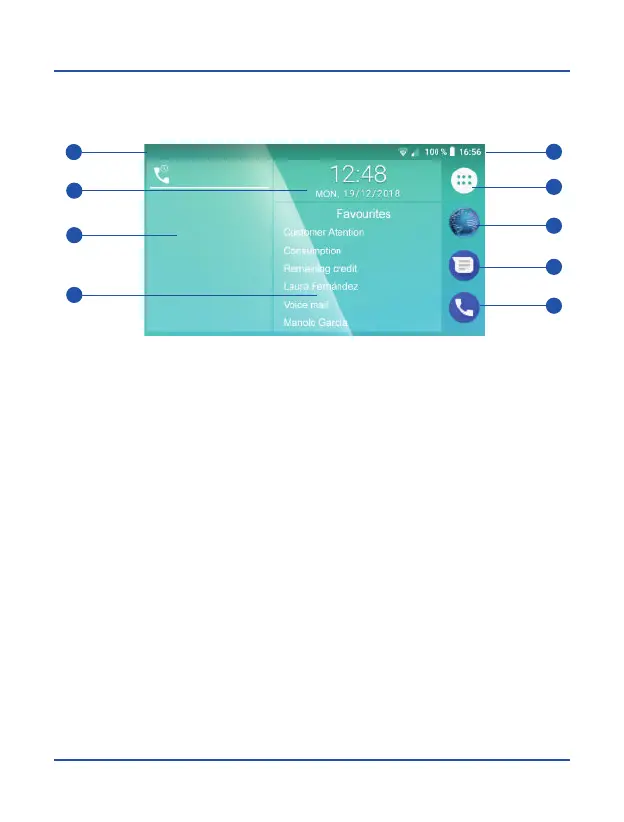
Once you turn on the device and complete setup process, main menu will be displayed
on the screen.
Notification bar and information system
In the upper left corner of the screen are displayed notifications from different
applications installed on your phone, such as messages, email, missed calls, etc.,
while on the right is shown current status of the system elements as battery level,
network connections, Wi-Fi, Bluetooth, etc. You can expand notification area sliding
this bar down, and switch between notification area and system menu by making
scrolling.
1. Notifications bar
2. System information
3. Apps menu
6. Web browser
7. Messages
8. Calls
4. Date and time 9. Favorite contacts
1
2
3
6
7
8
9
4
5
5. Call log



 To Next Page