9
After Sales Support
Telephone: 1300 663 907
Internet: www.winplus.com.au
Charging the Bluetooth Receiver
Before using this device, fully charge the Bluetooth Receiver. This should
take around 4 hours.
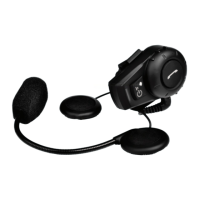
1. Insert the USB plug of the charging cable into the small USB jack
on the headset. Insert the other end of the charging cable into the
Power Adaptor or your computer’s USB port.
2. While charging, the red LED on the Bluetooth receiver will
illuminate, when the charging is nished, the red LED will
switch o.
Tip: To maintain long life from the internal lithium battery, charge
your device at least once a month.
Powering On and Off
1. To turn the device on, press the power/intercom button for 3
seconds until you hear a beep. A blue light will ash quickly 3
times and then continue short ashes at regular intervals.
2. To turn the device o, press the power/intercom button for 5
seconds until you hear a beep. The Bluetooth receiver and LED
lights will turn o.


 To Next Page