20
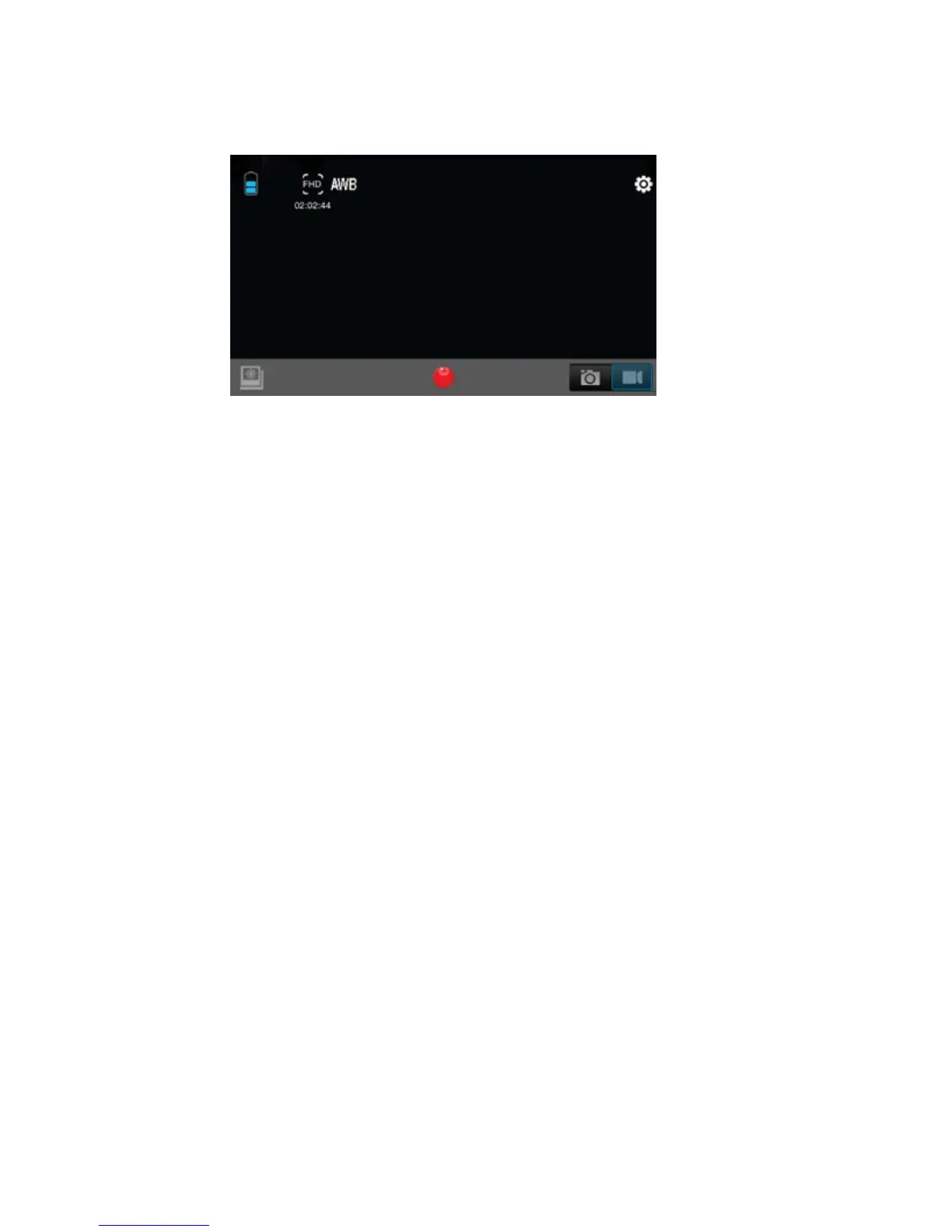
AppInterfaceDiagram
Note:Towatchtherecordedvideosonyourphone,youneedtodownload
themfirst.
SavingandViewingOptions
TransferringfilestoPC
UsetheUSBcablesupplied(M)toconnectthecameratoyourcomputer.
ThecameraLCDwilldisplayMSDCiconandyourcomputerwillseeyourcamera
asanexternalstoragedevice.AlternativelyyoucanremovetheMicroSDcard
anduseacardreader(notincluded)toachievethesame
result.
1.Selectthefile(s)youwanttotransfertoyourcomputerbyhighlightingthem.
2.Eitherdragthefilestothedesiredplaceonyourcomputer(thiswillmakea
copyofthefileonyourcomputer)ORright‐clickthefile,select“Copy”and
right‐clickinthedesiredplace
inyourcomputerandselect“Paste”.
BatteryIcon VideoResolution Settings
SwitchPhoto/Mode
Record
PlaybackMode


 To Next Page