5
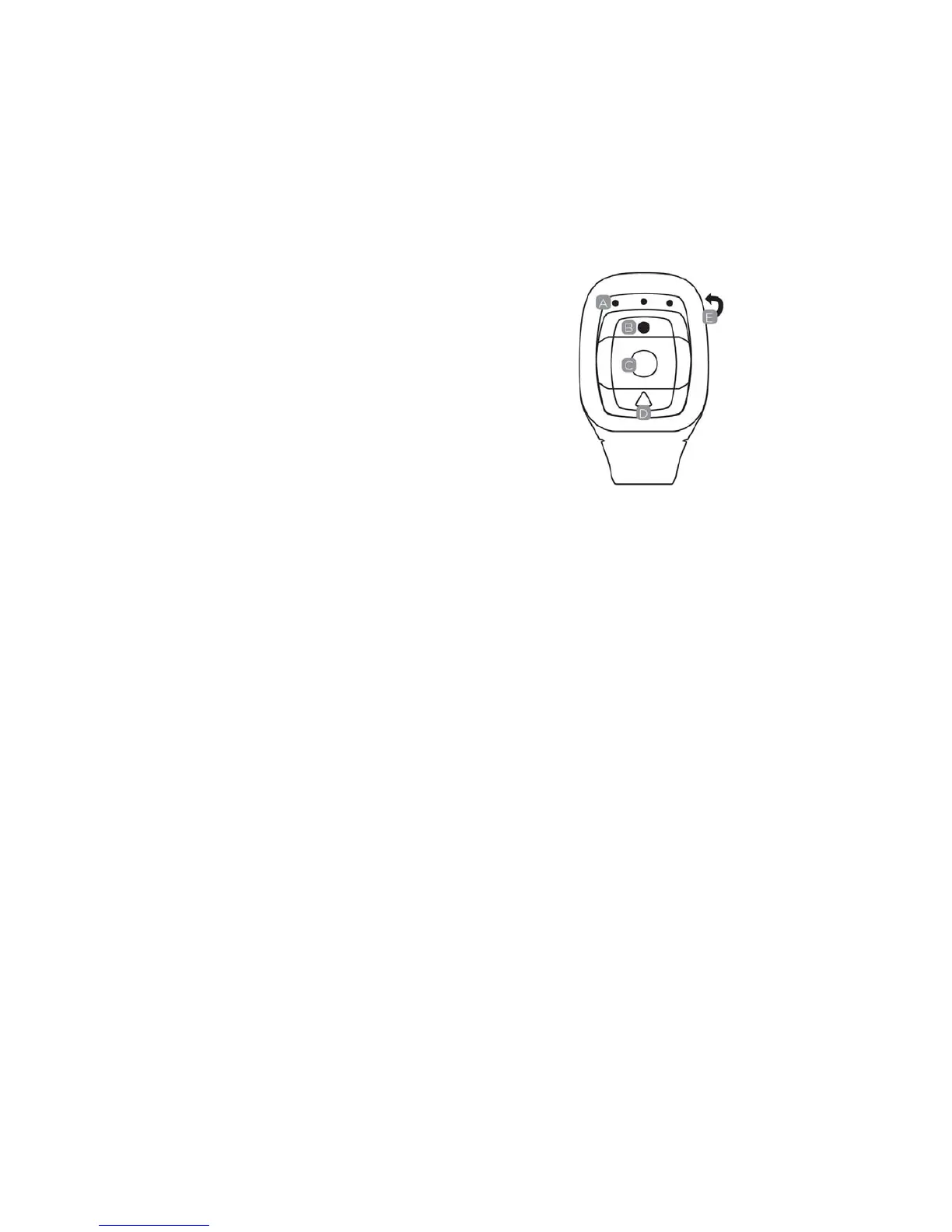
RemoteDiagram
Pleasenote:withtheremotecontrolleryoucannotturnthecameraon.Please
ensurethecameraisswitchedonbeforeusingtheremote.
ALEDIndicator s
BShootPhoto
CRecordVideo
DPowerOff
EMicroUSBChargeportonthebackofremote
Tousetheremote,pleasecodefirstbefor epoweronthecamera.
Codingprocedures:
1. Pressandholdthe“Picture”&“V ideo”keysoftheremoteatthesametime,
thenturnthecameraon;
2. Whenthecameraentersintotherealliveinterface,releasethe“Picture”&
“V ideo”keys;
3. Themidd leblueindicatorlightsup,thenthecodingisfinished.
Note:
z Pleasekeepholdingthe“Picture”&“V ideo”keysduringcoding;
z Onlyneedtocodeonce,afterwordsthecamerawill
recognize
automatically;
z Wi–Fifunction&remotecontrollercannotbeusedsimultaneously.



 To Next Page