Get it all with just one call
800.444.1198
All registered and unregistered trademarks are the property of their
respective owners. Specifications subject to change without notice.
Patents pending.
Copyright © 2015 Codonics, Inc. Printed in the U.S.A. Part No. 901-386-005.02.
17991 Englewood Drive
Middleburg Heights, OH
44130 USA
+1.440.243.1198
+1.440.243.1334 Fax
Email info@codonics.com
www.codonics.com
Codonics Trading Co, Ltd.
317 Xianxia Rd. Building B
Unit 1412
Changning Dist., Shanghai
P.R. China, 200051
86-21-62787701
86-21-62787719 Fax
Codonics Limited KK
AQUACITY 9F,
4-16-23, Shibaura
Minato-ku, Tokyo,
108-0023 JAPAN
81-3-5730-2297
81-3-5730-2295 Fax
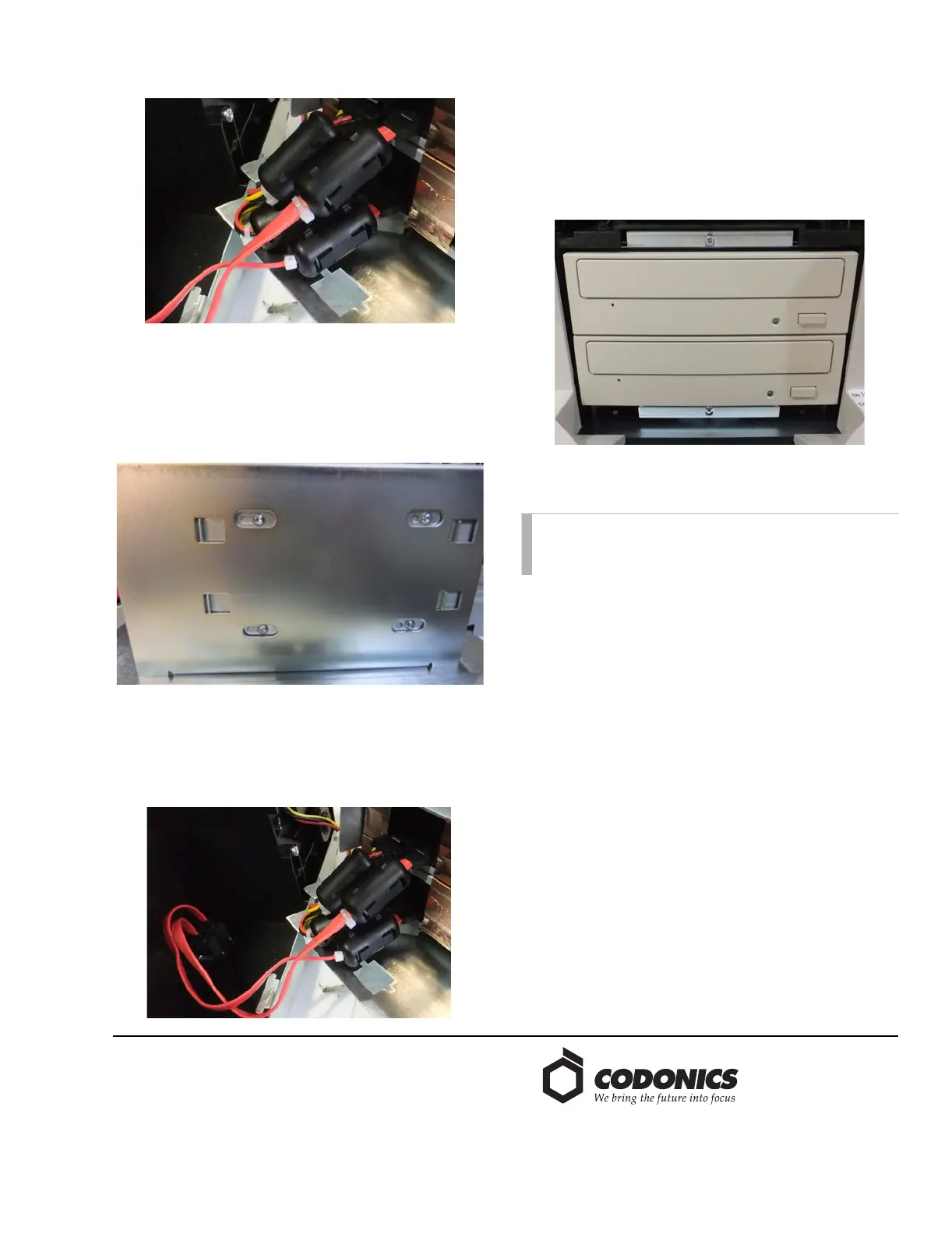
4. Disconnect the SATA Power and SATA cables from the
CD/DVD drives.
5. Remove the SATA Power adapter from the Power
Supply connector and remove the ferrites from the
adapter. Place them on the new SATA power adapter
and hold them in place with a ty-wrap.
6. Using a T10 Screwdriver, remove the eight screws (four
on each side) holding the CD/DVD drives in the drive
bay.
7. Remove the CD/DVD drives and install the new drives.
Using a T10 driver, replace the eight screws tightening
them to 6 in-lbs.
8. Connect the SATA Power cables to the CD/DVD drives
and Power Supply. Connect the SATA cables making
sure that SATA 1 is connected to the bottom drive.
9. Carefully fold the cables into the Recorder and align the
slot on the drive bay with the tab on the Recorder chasis.
Lift the drive bay into the Recorder and replace the 6
screws removed in Step 1.
10. During the drive position calibration, the two screws
shown in the picture below are used to move the drives
to center the disc front to back on the drives door.
Calibration
The Recorder now needs to be calibrated. For detailed
instructions, please refer to the Virtua Recorder Calibration
Technical Brief.
For 81C, 81R, or 82C, reference step 6 in the Drive
Replacement, 81C, 81R, or 82C section for adjusting the
position of the top optical drive.
For 83C, reference step 10 in the Drive Replacement 83C
section for adjusting the position of the top and bottom
optical drive.
Technical Support
If problems occur during installation, contact Codonics
Technical Support between the hours of 8:30AM and 5:30PM
EST (weekends and U.S. holidays excluded).
Phone: +1.440.243.1198
Email: support@codonics.com
Website: www.codonics.com
NOTE: Prior to starting calibration, the Recorder must
be reconnected to the Controller and version 4.1.0
Operating Software or higher must be loaded.


 To Previous Page
 Loading...


