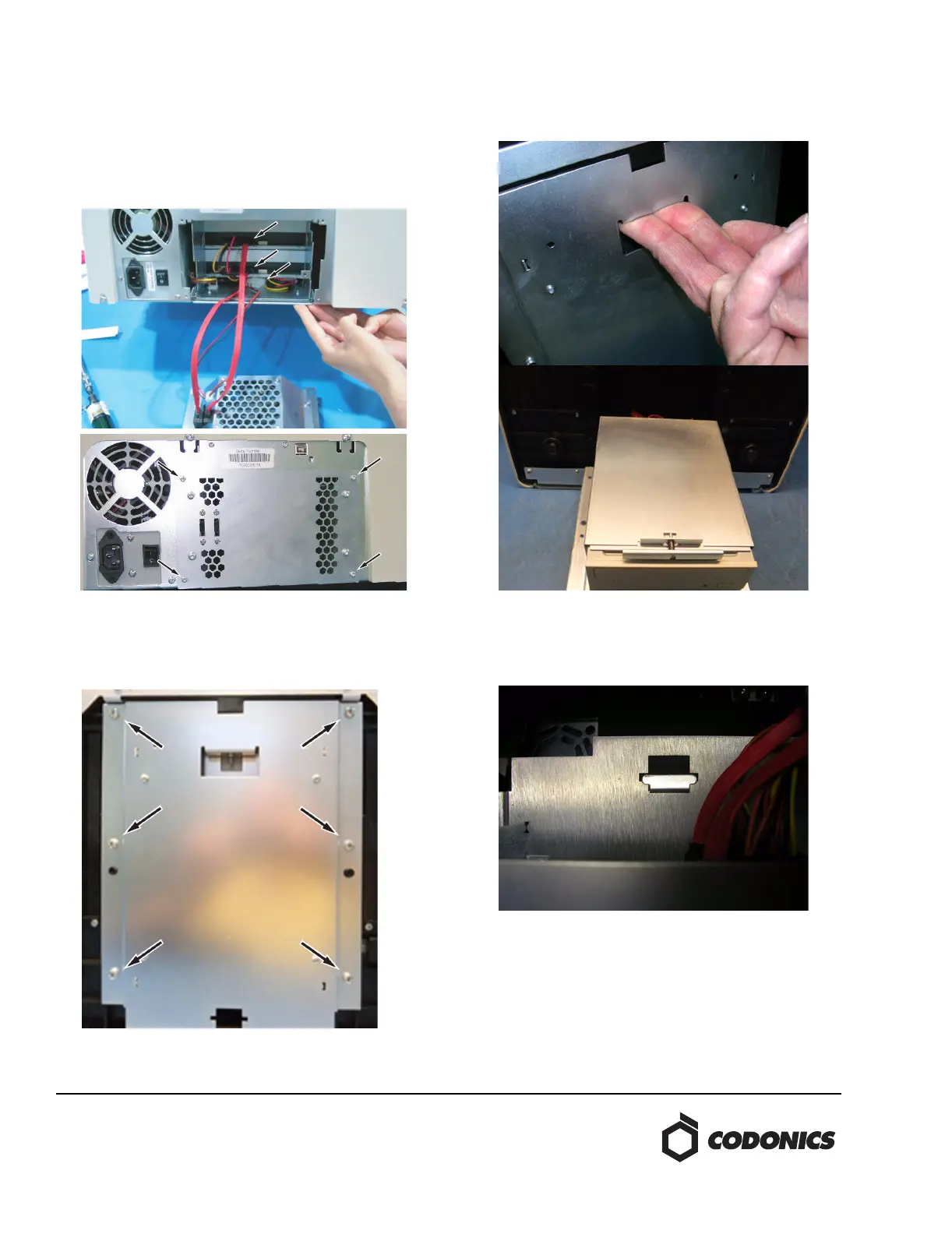
11. From the fan assembly, plug the SATA cable that is
closest to the center of the Recorder into the upper
optical drive. Plug the remaining SATA cable into the
lower optical drive. Plug the drive bay fan into the
remaining drive power connector in the bay. Use the
Torx driver to secure the fan assembly with four screws.
Torque the screws to approximately 6 in-lbs (0.68 Nm).
Drive Replacement 83C
1. Lay the Recorder on its back with the bottom showing
and using the #2 Phillips driver remove the six screws
holding the drive bay.
2. Grasp the top slot, lift up slightly and pull down the
drive bay.
3. Remove the drive bay from the Recorder by aligning the
holding tab with the slot on the drive bay.



 To Next Page