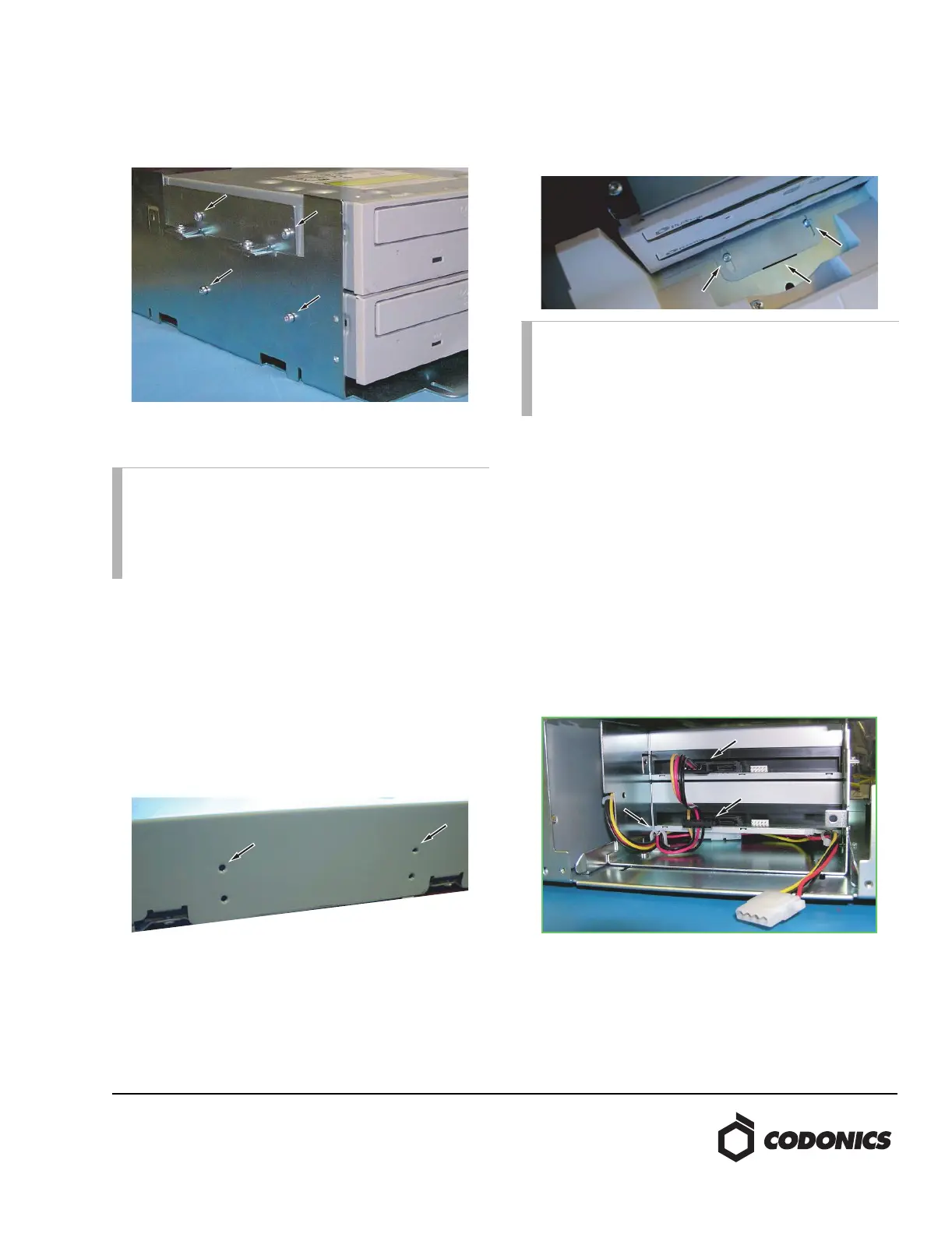
6. Use the Torx driver to remove the four screws holding
each optical drive.
7. Install one of the new optical drives into the bottom
location of the bracket and loosely secure with the
screws. The screws should fasten to the upper row of
threaded holes on the optical drive. Then insert the
second new optical drive into the upper location of the
bracket. Use the Torx driver to torque all eight screws
securing the optical drives to approximately 6 in-lbs (0.68
Nm).
8. Reinstall the drive bay. Align the drive bay bracket to the
mark made in step 3. Using the two short screws and two
washers, secure the front of the drive bay. Use the Torx
driver to torque both screws to approximately
6 in-lbs (0.68 Nm).
9. Using two of the screws and remaining two washers,
secure the back of the drive bay from underneath the
Recorder. Use the Torx driver to install the screws but do
not tighten so the drive bay position can be adjusted
during calibration.
10. Make sure the optical drive power cable is correctly
routed along the bottom of the chassis with no wires
trapped underneath the drive bay bracket. Insert the
drive power cable into the cable guide. Connect the
SATA power converter cable to the optical drives as
shown with the end of the converter/power cable
connected to the top optical drive. Tuck the
converter/power cable connection under the lower
optical drive and leave the remaining optical drive
power connector available to provide drive-bay fan
power.
NOTE: Do not remove the two screws holding the two
top optical drive mounting brackets. If the top drive
needs to be adjusted for calibration, loosen the two
screws holding the two top optical drive mounting
brackets. Adjust position and tighten screws to
approximately 6 in-lbs (0.68 Nm).
NOTE: Be sure not to damage the metal fingers at the top
of the Recorder drive bay when reinstalling. Slightly
push up on the metal fingers as the drive bay is guided
into position. Use the short screws from step 4 to secure
the front of the drive bay.


 To Next Page
 Loading...


