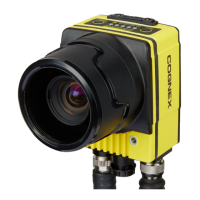
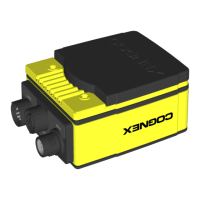
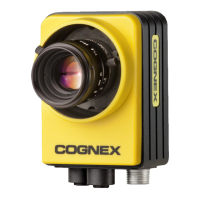
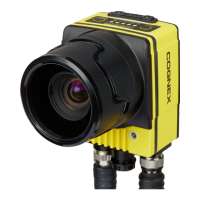
EasyManua.ls Logo

Cognex In-Sight 7600 - User Manual

Cognex In-Sight 7600
176 pages
Print Icon
To Next Page IconTo Next Page
Loading...
In-Sight
®
7000 Gen2 Series
Vision System
Manual
2020 June 15
Revision: 5.9.2.1

Table of Contents

Other manuals for Cognex In-Sight 7600

Question and Answer IconNeed help?

Do you have a question about the Cognex In-Sight 7600 and is the answer not in the manual?

Summary

For European Community Users

Precautions

In-Sight 7500;7600 Series & 7800;7801;7802;7900;7901;7902

In-Sight 7802 P;7902 P;7905

Installation

Install the C-Mount Lens and Cover (COV-7000-CMNT or COV-7000-CMNT-EX)

Steps to install C-Mount lens and cover for IP67 protection.

Install the C-Mount Lens and Cover (COV-7000-CMNT-LG)

Steps to install C-Mount lens and cover COV-7000-CMNT-LG for IP67 protection.

Install the Converter Mounting Bracket (ISB-7000-7 K)

Steps to attach converter mounting bracket ISB-7000-7K to the vision system.

Connect the External Light Cable (Optional)

Procedure for connecting external light cable to vision system and lighting device.

Connect the Breakout Cable

Steps for connecting breakout cable, including power and I/O wiring precautions.

Connect the Ethernet Cable

Instructions for connecting Ethernet cable to vision system and network.

Install Software and Documentation

Log on to the Vision System

Steps to open In-Sight Explorer and connect to the vision system.

7500 Series Vision System Specifications

7600 Series Vision System Specifications

7800;7801;7802 Vision System Specifications

7802 P Vision System Specifications

7900;7901;7902 Vision System Specifications

7902 P;7905 Vision System Specifications

Summary

For European Community Users

Precautions

In-Sight 7500;7600 Series & 7800;7801;7802;7900;7901;7902

In-Sight 7802 P;7902 P;7905

Installation

Install the C-Mount Lens and Cover (COV-7000-CMNT or COV-7000-CMNT-EX)

Steps to install C-Mount lens and cover for IP67 protection.

Install the C-Mount Lens and Cover (COV-7000-CMNT-LG)

Steps to install C-Mount lens and cover COV-7000-CMNT-LG for IP67 protection.

Install the Converter Mounting Bracket (ISB-7000-7 K)

Steps to attach converter mounting bracket ISB-7000-7K to the vision system.

Connect the External Light Cable (Optional)

Procedure for connecting external light cable to vision system and lighting device.

Connect the Breakout Cable

Steps for connecting breakout cable, including power and I/O wiring precautions.

Connect the Ethernet Cable

Instructions for connecting Ethernet cable to vision system and network.

Install Software and Documentation

Log on to the Vision System

Steps to open In-Sight Explorer and connect to the vision system.

7500 Series Vision System Specifications

7600 Series Vision System Specifications

7800;7801;7802 Vision System Specifications

7802 P Vision System Specifications

7900;7901;7902 Vision System Specifications

7902 P;7905 Vision System Specifications

Cognex In-Sight 7600 Specifications

General IconGeneral
BrandCognex
ModelIn-Sight 7600
CategoryMachine Vision Systems
LanguageEnglish

Related product manuals