EasyManua.ls Logo

Cognex In-Sight 7800 - User Manual

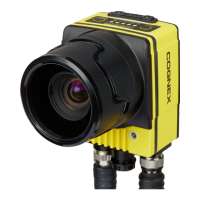
Cognex In-Sight 7800
176 pages
Print Icon
To Next Page IconTo Next Page
Loading...
In-Sight
®
7000 Gen2 Series
Vision System
Manual
2020 June 15
Revision: 5.9.2.1

Table of Contents

Other manuals for Cognex In-Sight 7800

Question and Answer IconNeed help?

Do you have a question about the Cognex In-Sight 7800 and is the answer not in the manual?

Summary

Regulations and Conformity

China RoHS

For European Community Users

Precautions

Installation

Install the C-Mount Lens and Cover (COV-7000-CMNT or COV-7000-CMNT-EX)

Steps for installing COV-7000-CMNT/CMNT-EX C-Mount lens and cover for IP67.

Install the C-Mount Lens and Cover (COV-7000-CMNT-LG)

Steps for installing COV-7000-CMNT-LG C-Mount lens and cover for IP67.

Install the Converter Mounting Bracket (ISB-7000-7 K)

Procedure to attach the ISB-7000-7K converter mounting bracket.

Connect the External Light Cable (Optional)

Connecting an external lighting device using the LIGHT connector.

Connect the Breakout Cable

Connecting the breakout cable for power and I/O signals.

Connect the Ethernet Cable

Connecting the vision system to a network via Ethernet.

Install Software and Documentation

Installing In-Sight Explorer software for vision system configuration.

7500 Series Vision System Specifications

7600 Series Vision System Specifications

7800;7801;7802 Vision System Specifications

7802 P Vision System Specifications

7900;7901;7902 Vision System Specifications

7902 P;7905 Vision System Specifications

Summary

Regulations and Conformity

China RoHS

For European Community Users

Precautions

Installation

Install the C-Mount Lens and Cover (COV-7000-CMNT or COV-7000-CMNT-EX)

Steps for installing COV-7000-CMNT/CMNT-EX C-Mount lens and cover for IP67.

Install the C-Mount Lens and Cover (COV-7000-CMNT-LG)

Steps for installing COV-7000-CMNT-LG C-Mount lens and cover for IP67.

Install the Converter Mounting Bracket (ISB-7000-7 K)

Procedure to attach the ISB-7000-7K converter mounting bracket.

Connect the External Light Cable (Optional)

Connecting an external lighting device using the LIGHT connector.

Connect the Breakout Cable

Connecting the breakout cable for power and I/O signals.

Connect the Ethernet Cable

Connecting the vision system to a network via Ethernet.

Install Software and Documentation

Installing In-Sight Explorer software for vision system configuration.

7500 Series Vision System Specifications

7600 Series Vision System Specifications

7800;7801;7802 Vision System Specifications

7802 P Vision System Specifications

7900;7901;7902 Vision System Specifications

7902 P;7905 Vision System Specifications

Cognex In-Sight 7800 Specifications

General IconGeneral
Camera TypeSmart Camera
Image SensorCMOS
Lens MountC-Mount
IP RatingIP67
Discrete I/O8 Inputs, 8 Outputs
Power Supply12-24 VDC
Communication InterfacesEthernet, RS-232
Frame Rate30 fps
LightingIntegrated Lighting
ConnectivityEthernet
Operating Temperature0°C to 45°C
ProcessorDual-core
Weight1.1 kg

Related product manuals