EasyManua.ls Logo

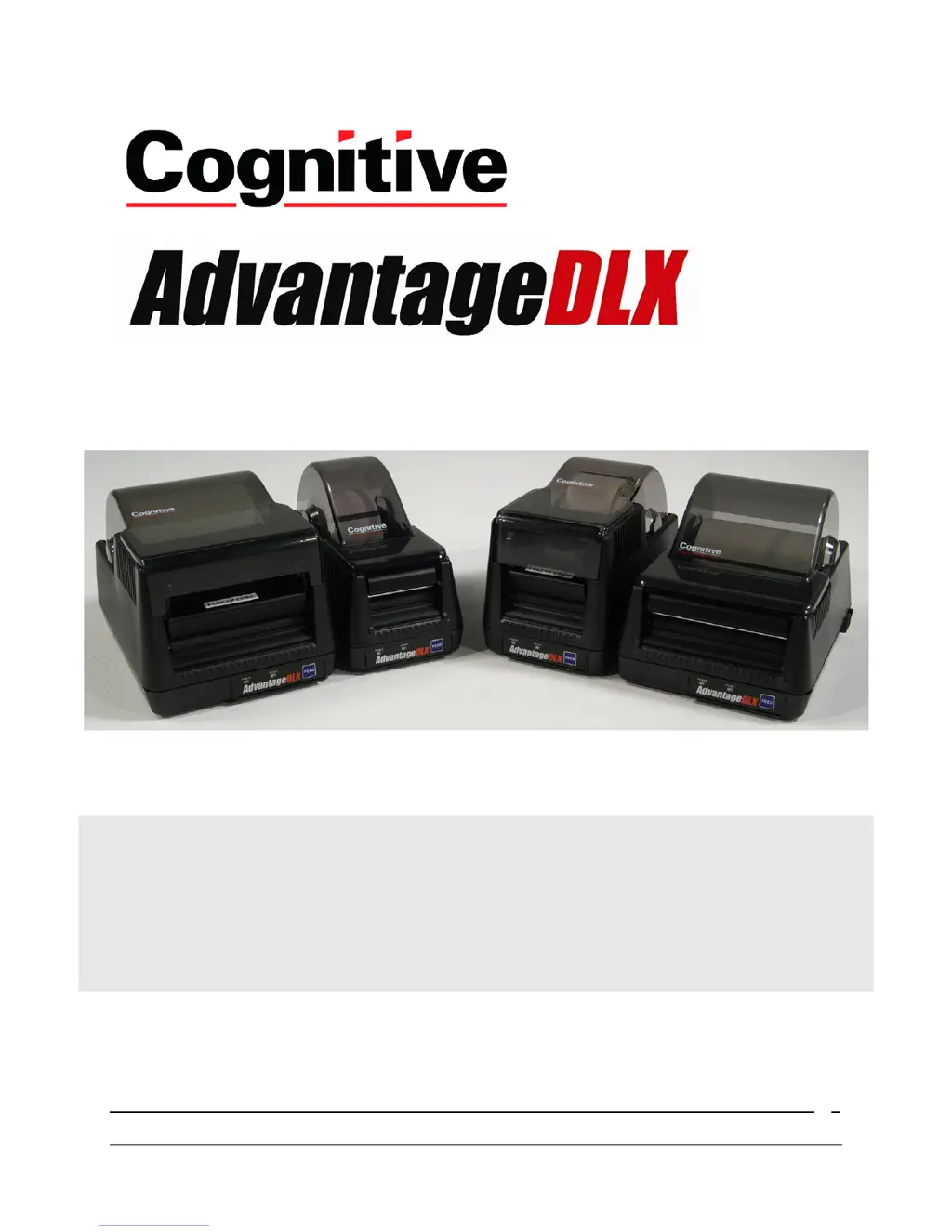
CognitiveTPG Advantage DLX DBD24-2085-01S - User Manual

CognitiveTPG Advantage DLX DBD24-2085-01S
26 pages
Print Icon
To Next Page IconTo Next Page
Loading...
Copyright © 2007, Cognitive - 1.800.525.2785
1
User’s Manual
105-296-01 Revision A 1/5/2009

Table of Contents

Other manuals for CognitiveTPG Advantage DLX DBD24-2085-01S

Questions and Answers

  • J
    Joanna MeltonAug 14, 2025
    Why is my CognitiveTPG Printer printing too light?
    • A
      Adrian AndersonAug 14, 2025
      Several factors could cause light printing. The printer darkness setting may be too low - increase it using the Cognitive Administrator. Alternatively, the darkness value within the printer driver might need adjustment. Lastly, a dirty printhead can also cause this issue, so try cleaning it.
  • K
    Kathleen HannaAug 17, 2025
    What to do if my CognitiveTPG Printer is skipping labels during printing?
    • C
      costaandrewAug 18, 2025
      Label skipping can occur due to the label design or printer calibration. Try decreasing the height of the label. If that doesn't work, recalibrate the printer using the Cognitive Administrator.
  • J
    jpowellAug 21, 2025
    How to fix continuously feeding labels on CognitiveTPG Printer?
    • D
      Donald GeorgeAug 21, 2025
      If your printer is continuously feeding labels, it's likely out of calibration. You can calibrate the printer using the Cognitive Administrator.
  • J
    jillianwilcoxAug 25, 2025
    What to do if CognitiveTPG Printer feed button is not working?
    • J
      Justin NealAug 26, 2025
      If the feed button isn't working, the printer might be running a stored program. To resolve this, unlatch the print head, turn the printer off and then back on, and then re-latch the print head.
  • C
    Charles DayAug 28, 2025
    What to do if I see a red ready light on my CognitiveTPG Printer?
    • M
      millerdavidAug 28, 2025
      A red ready light indicates a few potential issues. The print head might be unlatched; ensure it is securely latched. You might also be out of media or ribbon, so replace them as needed. Finally, the printer could be paused; press the feed button to continue printing.
  • K
    Kayla RodriguezAug 31, 2025
    Why is my CognitiveTPG Printer printing blank labels?
    • M
      Mark MendozaAug 31, 2025
      Printing blank labels often happens when the ribbon is missing. Ensure you are using a print ribbon when printing to thermal transfer media.
  • A
    Aaron FriedmanSep 3, 2025
    How to adjust print position on CognitiveTPG Printer?
    • J
      Jaime TorresSep 3, 2025
      If the print isn't positioned properly, the top of the form likely requires adjustment. Use the Cognitive Administrator to adjust the top of the form.
  • J
    Jerry KnightSep 7, 2025
    What causes media drifting during printing on CognitiveTPG Printer?
    • S
      schultzjessicaSep 7, 2025
      Media drifting during printing is often due to an improperly adjusted media guide. Verify that the media guide is positioned correctly.
  • E
    Erin MataSep 10, 2025
    What does a red power light mean on my CognitiveTPG Printer?
    • B
      becky18Sep 10, 2025
      A red power light indicates that the printer is using an incorrect power supply. Verify that you are using the correct power supply.

Summary

Chapter 2: Printer Installation

Connecting Cables

Instructions for connecting interface and power cables to the printer.

Chapter 3: Software Installation

Install Administrator and Drivers

Process for installing Cognitive Administrator software and print drivers.

Chapter 4: Cognitive Administrator

Connection Settings

How to establish connections via USB, Serial, or Ethernet.

Printer Configuration

Settings for print speed, darkness, and label positioning.

Chapter 6: Cleaning and Maintenance

Chapter 7: Troubleshooting

Troubleshooting Guide

A guide to diagnose and resolve common printer issues.

CognitiveTPG Advantage DLX DBD24-2085-01S Specifications

General IconGeneral
BrandCognitiveTPG
ModelAdvantage DLX DBD24-2085-01S
CategoryPrinter
LanguageEnglish

Related product manuals