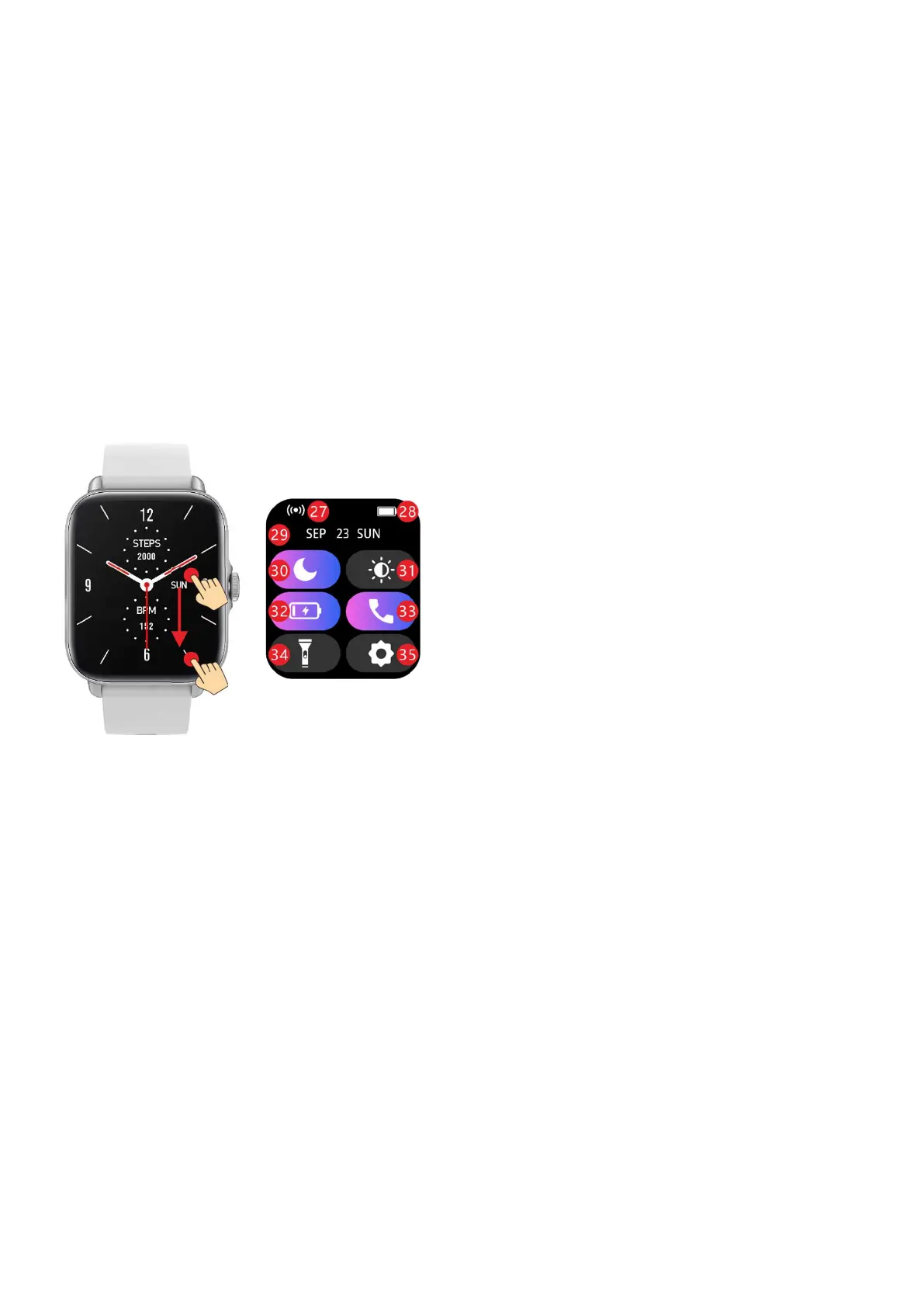
Swipe down the dial interface to enter the shortcut setting
interface
27: Device connection icon (not
shown if not connected)
28: Battery power display
29: Date display
30: No disturb quick switch (legend
shows no disturb on)
31: Brightness shortcut button, click
to enter the brightness setting
interface
32: Power saving mode quick switch
(the legend shows that the pow
saving mode is on)
33: Call Bluetooth shortcut switch
(legend shows call Bluetooth on)
34: Flashlight mode shortcut button,
click to open flashlight mode
35: Set shortcut button. Click to enter
the setting interface


 To Next Page